How do I automatically add memes to my blog posts?
You can automatically add memes to blog posts by using an AI meme placement tool like memecub's /match feature: paste your article and it picks a fitting meme for each paragraph. For more control, use the memecub REST API or CLI to search and insert memes programmatically. Both options save you from manually hunting for memes.
Use when your automated meme placement hits the perfect spot in a paragraph.
Send when the automation fails and your blog post is on fire but you pretend it's fine.
Celebrate when the auto-inserted meme lands exactly right.
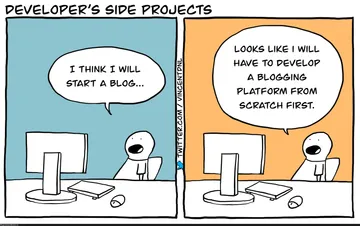
For posts about side projects where the meme is the real reason you're writing.
When you finally get the automation working after hours of tweaking.
Show your blog's mood after successfully adding memes automatically.
When the auto-placed meme is slightly off but you publish anyway.
Use when your automated meme selection nails the tone of the post.
For posts about AI or brainpower, showing the smart automation behind the scenes.
When your blog's mood swings between excited and confused about automation.






Use AI meme placement for a hands-off approach
The simplest way to automatically add memes to blog posts is to use memecub's AI meme placement feature at /match. Paste your entire article, and the AI analyzes each paragraph and selects a fitting meme from the library.
This is ideal if you want to save time and don't want to manually search for each meme. The AI considers the context and tone of your writing to pick memes that enhance rather than distract.
You can then review the suggestions and swap out any that don't fit. The whole process takes minutes instead of hours.
Automate with the API or CLI for full control
If you need more control or want to integrate meme insertion into your publishing workflow, use the memecub REST API or CLI. The API lets you search for memes by keyword and returns results you can embed in your posts.
For example, a simple API call to search for a meme about 'success' might look like: GET https://memecub.com/api/search?q=success (with your API key). The response includes meme URLs and metadata.
You can also use the CLI tool by running npx memecub search success in your terminal. This is great for scripting and automation.
For AI agents, there's a remote MCP server at https://memecub.com/mcp and a skill installable with npx skills add https://memecub.com for Claude Code, Codex, Cursor, and others.
Choose the right memes for your blog
Not all memes fit every blog post. Consider your audience and the tone of your content. For professional blogs, use memes sparingly and opt for ones that are widely understood.
If you're unsure, start with classic memes like 'This is fine' or 'Success Kid' that have broad recognition. You can browse memecub's library to find memes by category or search.
Remember that most memes are collected from the web and are free for personal use only. For commercial blogs, use the filter to show only openly licensed images that can be used commercially.
Nothing quite right? Make one
Pick a character, type a caption, get it in about 10 seconds.
More that fit



FAQ
Can I automatically add memes to my blog posts for free?
Yes, memecub offers a free tier with 1000 credits per month, which is enough for many blog posts. The AI meme placement and API search both consume credits, but you can start without paying.
Is there a way to add memes to blog posts without doing it by hand?
Absolutely. Use memecub's /match feature to paste your article and get memes automatically placed, or use the API/CLI to integrate meme search into your workflow.
How do I put memes in my blog posts using AI?
Use an AI meme placement tool like memecub's /match. It reads your article and suggests a meme for each paragraph based on context. You can also use the AI meme maker to create custom memes from a description.
Can I use memes from memecub commercially?
Most memes are collected from the web and are for personal use only. However, you can use the filter to show only openly licensed images (Openverse, open-source emoji, public-domain art) that are safe for commercial use.
What if I need a custom meme for my blog post?
You can use memecub's AI meme maker at /generate. Describe a character, action, and caption, and it will create a custom meme in about 10 seconds. It refuses real people, so keep it fictional.