Where can I find memes to use in my Notion pages?
The quickest route is a free meme library like memecub.com: search a keyword, copy or download the image, then paste it into a Notion image block, cover or callout. For a page that needs a specific joke, the AI meme maker at memecub.com/generate builds one from a character, action and caption. If you want a whole article illustrated, paste the text into the AI meme placement tool and it picks a meme per paragraph.
Send it as the cover of a page that is technically on fire but still being updated.
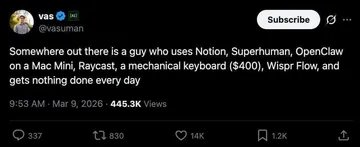
The header for a dashboard that tracks someone else's life instead of your own.
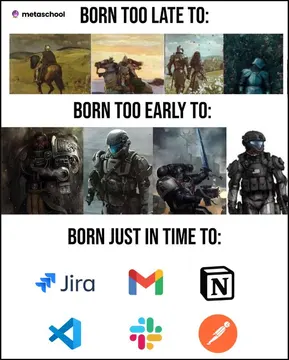
Use it in a page about digital paperwork replacing real adventures.
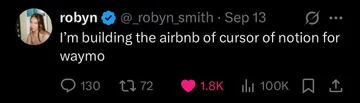
Drop it into a brainstorming page when the ideas start sounding like startup pitches.
The reaction image for a page where the setup makes no sense yet.
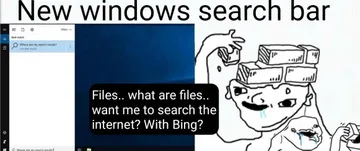
A fitting visual for a Notion page about lost files or broken search.
Good for a page comparing two tools or two workflows that look the same but are not.
Send it in a page comment when a teammate's note needs clarification.




How to put a meme into a Notion page
Open memecub.com, search a keyword such as “confused” or “deadline”, then copy the image or download it. In Notion, type /image and upload the file, or paste the image URL into an image block.
For a page cover, open the page menu, choose Custom, then Upload and pick the downloaded meme. For a header inside the page, an image block above the title works the same way.
For a reaction inside a discussion, put the meme in a callout block or a toggle so it does not push the actual content down the page.
Which meme fits which Notion page
Covers and headers want something wide and calm: “This is fine” works for a page that is clearly not fine, and “Born Just In Time For Digital Paperwork” suits a page about admin and tracking.
Dashboards and databases suit jokes about over-planning: “We All Know Him” and “The Buzzword Bingo Startup Generator” both read well next to a template or project list.
Comments and quick reactions want a face: the confused dog and confused white monkey are the fastest way to ask “what does this mean?” without writing it out.
When nothing in the library fits
Describe the character, the action and the caption in the AI meme maker at memecub.com/generate, or upload an existing meme as a reference. It takes about 10 seconds per image and refuses real people, so keep it to characters.
If you are illustrating a long page, paste the text into the AI meme placement tool and it suggests a meme for each paragraph, which you can then drop into the matching section.
Check the licence before you publish: most library memes are collected from the web and are fine for personal chats, but the filter for openly licensed images is the one to use for anything commercial.
Other places people look
Reddit communities such as r/Notion collect user-made Notion memes, and Pinterest boards gather funny Notion headers, but you usually have to save and re-upload each image yourself.
Notion's own template marketplace has meme-themed templates, which are useful if you want a ready-made gallery page rather than single images.
A dedicated meme library is faster for repeat use because search, copy and download all happen on one page without an account.
Nothing quite right? Make one
Pick a character, type a caption, get it in about 10 seconds.
More that fit




FAQ
Where can I get memes for Notion for free?
memecub.com lets you browse, search, copy and download memes without signing up. Most are collected from the web, so they are fine for personal pages and chats but not for commercial use.
Can I use memes as a Notion cover or header?
Yes. Download the image, open the page menu, choose Custom then Upload, and pick the file. Wide, simple images such as “This is fine” work best as covers.
Are these memes safe to use in a published Notion page?
For personal or internal pages, yes. For anything public or commercial, use the filter that shows only openly licensed images, since copyright for the rest stays with the original creators.
What if I cannot find the meme I want?
Use the AI meme maker at memecub.com/generate: describe a character, an action and a caption, or start from an existing meme as a reference. It takes about 10 seconds per image.
Can I add memes to a Notion page automatically?
You can paste an article into the AI meme placement tool and it picks a fitting meme for each paragraph. Developers can also use the REST API or the MCP server to search the library from their own tools.