Where can I find memes to post on LinkedIn?
Start with a meme library you can search by topic, like memecub.com, and look for workplace, networking and grind-culture jokes that match your post. For anything specific to your story, the AI meme maker at memecub.com/generate lets you describe a character, action and caption and get an image in about 10 seconds. Always check the license before posting: most collected memes are for personal use, while the openly licensed filter shows images you can use commercially.
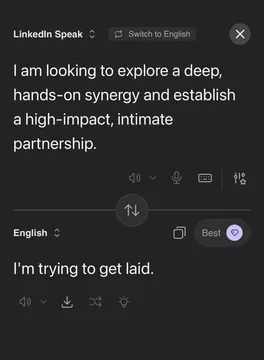
Send it when you want to poke fun at corporate jargon in a post about communication.
The calm dog in a burning room is the go-to reaction for deadline chaos and busy quarters.
Use it for a light post about burnout or the end of a long week.
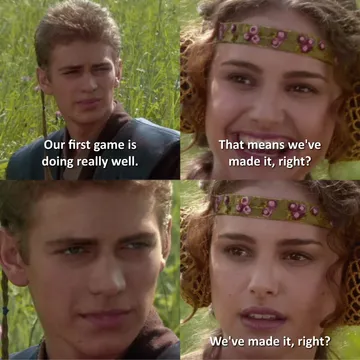
Fits founder and product-launch posts about early traction being overhyped.
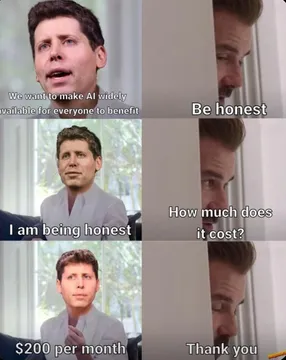
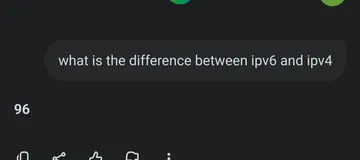
Good for a wry take on AI announcements that promise more than they deliver.
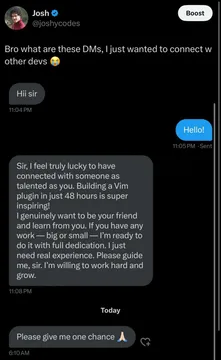
Pair it with a post about cold outreach or inbox etiquette.
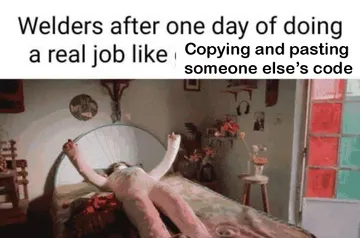
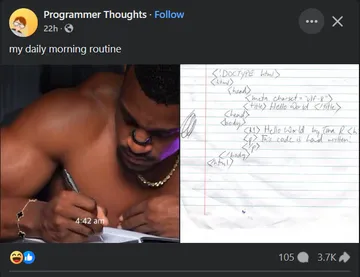
Works for hustle-culture jokes about 4 a.m. productivity routines.
Send it when a recruiter or client message needs a knowing side-eye.


Where to look, and which source fits which post
A searchable meme library is the fastest route. On memecub.com you can browse, search, copy and download without signing up, and the openly licensed filter shows images that are cleared for commercial use.
Reddit threads and roundups of cringey LinkedIn posts are good for inspiration, but the images there usually belong to whoever made them, so treat them as reference rather than something to repost.
If nothing in the library matches your story, describe the scene to the AI meme maker at memecub.com/generate: a character, an action and a caption. It takes about 10 seconds per image and will not depict real people.
How to pick a meme that lands on LinkedIn
Match the joke to the post, not the other way round. A meme about networking DMs fits a post about outreach; a grind-culture meme fits a post about work habits.
Keep it safe for a professional feed: no jabs at named colleagues, clients or companies, and nothing that reads as punching down.
One meme per post is enough. Put it after the first line of text so the hook still does the work, and add alt text describing the image.
Check the license before you publish. Collected memes are fine for personal chats, but for a company page use the openly licensed filter or generate your own image.
Credit, tone and etiquette
Credit the original creator when you know who it is, especially for a meme you found on Reddit or Pinterest.
Skip memes that rely on stereotypes about jobs, genders or nationalities; they age badly and comments will call it out.
If you are posting from a brand account, run the meme past one other person first. Humor that works in a group chat can read differently to a client.
For a whole article, paste the draft into AI meme placement at memecub.com/match and it suggests a fitting meme for each paragraph.
For developers building a LinkedIn posting tool
memecub has a REST API for search at 1 credit per call, a remote MCP server at https://memecub.com/mcp, a CLI you can run with npx memecub, and a skill you can install with npx skills add https://memecub.com into Claude Code, Codex, Cursor and similar tools.
A keyless trial gives 20 searches a day, which is enough to test a search-and-suggest flow before you add a key.
Plans start at a free tier with 1000 credits a month, with paid tiers and credit packs above that.
Nothing quite right? Make one
Pick a character, type a caption, get it in about 10 seconds.
More that fit


FAQ
Where can I find funny memes for LinkedIn?
Search a meme library like memecub.com by topic such as networking, meetings or burnout, or browse Reddit and meme roundups for ideas. If nothing fits, generate an image from a short description with the AI meme maker.
Can I use memes I find online in a LinkedIn post?
Most collected memes are fine for personal chats, but copyright stays with the original creator and they are not cleared for commercial use. For a company page, use the openly licensed filter or make your own image.
How do I make a LinkedIn meme about my own job?
Describe a character, an action and a caption to the AI meme maker at memecub.com/generate, or start from an existing meme as a reference. It takes about 10 seconds per image and refuses to depict real people.
What makes a LinkedIn meme work?
A joke people in your feed recognize from their own week, kept short and safe for work. One image, a clear caption and no named colleagues or clients is usually the right balance.
Is there a LinkedIn meme generator?
Yes. memecub.com/generate works as a general meme generator for LinkedIn-style jokes, and AI meme placement at memecub.com/match can pick a meme for each paragraph of a longer post.