Where can I find memes to use in my blog posts?
Start with a free meme library like memecub.com, where you can browse, search, copy and download memes without signing up. If your blog is commercial, turn on the openly licensed filter so you only see images cleared for commercial use. When nothing fits, describe the character, action and caption in the AI meme maker and get a custom image in about ten seconds.
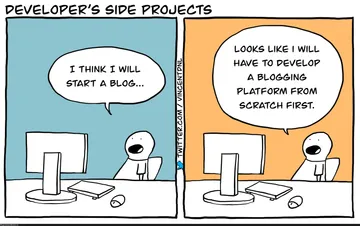
Perfect for a dev blog post about side projects that never ship.
Send it in a post about dark mode, themes or design preferences.
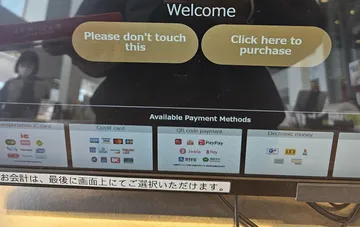
Use it in a UX or product post about confusing interface patterns.
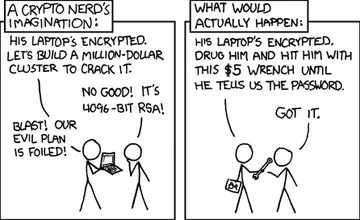
A security post about crypto or RSA needs exactly this reaction image.
A plain product shot that works as a header for hardware or gear posts.
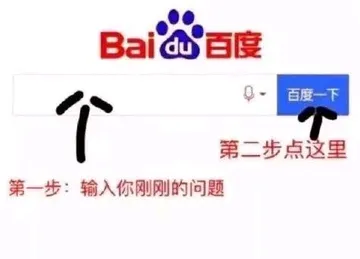
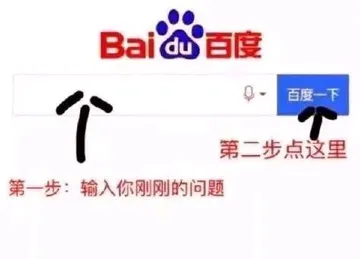
Good for a post about search engines, SEO or how people look things up.
Fits a reading-list, learning or “go read the docs” post.
Use it when writing about overwhelm, too many options or decision fatigue.




Pick the right source for how you will use the meme
For a personal blog or a post that will not earn money, a general meme library is fine: memecub.com lets you search, copy and download memes for free with no account. Most of those images are collected from the web, so copyright stays with the original creators and they are meant for personal chats.
For a company blog, a sponsored post or anything commercial, switch on the openly licensed filter. It shows only images from Openverse, open-source emoji sets and public-domain art, which you can use commercially.
If you need something specific, such as your own mascot or a caption that matches your article, generate it instead of hunting for a match.
How to place memes in a post without breaking the flow
Put the meme right after the paragraph it comments on, not at the top of the article. A meme works as a reaction or a punchline, so it needs something to react to.
Keep captions short and let the image do the work. One meme every few sections is usually enough; a wall of images makes the post feel like filler.
Check the tone against your audience. A dry internal joke lands on a developer blog and falls flat on a formal product announcement.
If you write long posts often, paste the draft into the AI meme placement tool at memecub.com/match and it suggests a fitting meme for each paragraph, which you can then swap or keep.
Making your own meme when the library has nothing
Open the AI meme maker and describe three things: the character, the action and the caption. You can also start from any existing meme as a reference and change the text or situation.
Each image takes about ten seconds and costs 500 credits. The tool refuses prompts involving real people, so keep characters generic or fictional.
Download the result and add it to your post like any other image. For a personal blog this is the fastest route to a meme that matches your exact point.
For developers: pulling memes into your publishing workflow
memecub has a REST API for search, a remote MCP server at https://memecub.com/mcp, a CLI you can run with npx memecub, and a skill you can install with npx skills add https://memecub.com into Claude Code, Codex, Cursor and similar tools.
A keyless trial gives you 20 searches a day, and each API search costs 1 credit, so you can test a small script before committing to a plan.
A typical flow: search by keyword from your build script, download the image, and store it next to the post assets. Keep the license filter on for any commercial site.
Legal basics before you publish
Posting a meme is not automatically illegal, but copyright still applies. Web-collected memes are for personal use, and the rights stay with whoever made the original image.
For commercial blogs, use the openly licensed filter or generate your own image, and keep a note of where each image came from.
Avoid memes built on photos of real people in contexts that could imply endorsement, especially in advertising.
Nothing quite right? Make one
Pick a character, type a caption, get it in about 10 seconds.
More that fit







FAQ
Where can I get free memes for my blog?
memecub.com is a free meme library where browsing, searching, copying and downloading cost nothing and need no sign-up. For commercial blogs, use the openly licensed filter so the images are cleared for that use.
Is posting memes illegal?
Not by itself, but memes often contain copyrighted images, so republishing them can infringe the creator's rights. Personal blogs are lower risk; commercial use should rely on openly licensed images or ones you generate yourself.
What makes a post a meme?
A meme is an image, caption or format that spreads because people adapt it. On a blog, it usually means a recognizable template or reaction image with text that comments on the surrounding content.
What is the difference between GIFs and memes?
A GIF is a file format that can loop a short animation; a meme is a cultural format that can be a still image, a GIF or a video. Many memes are GIFs, but not every GIF is a meme.
Can I use memes in a company blog?
Yes, if you have the rights. Use the openly licensed filter in the library, generate your own image with the AI meme maker, or get permission from the original creator before publishing.