Where can I find memes to use in my Substack posts?
You can find memes for Substack posts on memecub.com, a free meme library where you can browse, search, copy, and download without signing up. For custom memes, use the AI meme maker to describe a character, action, and caption, or paste your article into the AI meme placement tool to get a fitting meme for each paragraph. Always check licensing: most web-collected memes are for personal use only, but a filter shows openly licensed images for commercial use.
Send when your newsletter is late and everything is on fire but you're pretending it's fine.
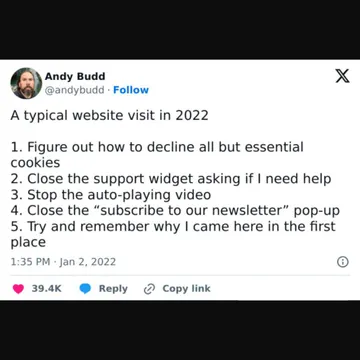
Use when writing about the chaos of modern internet browsing or tech overwhelm.
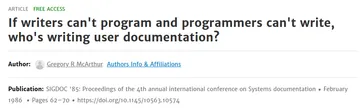
Perfect for posts about writing, programming, or when the answer to a problem is 'nobody'.
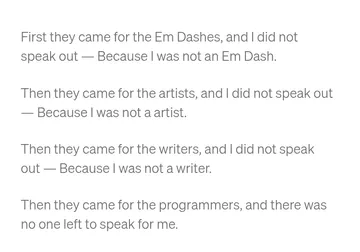
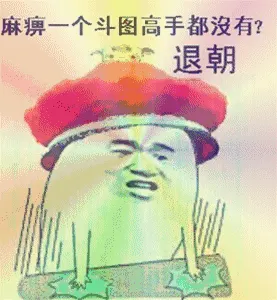
Great for editorial posts about language, grammar, or cancel culture.
Use in a post comparing prompt engineers and sloppers, or any AI job debate.
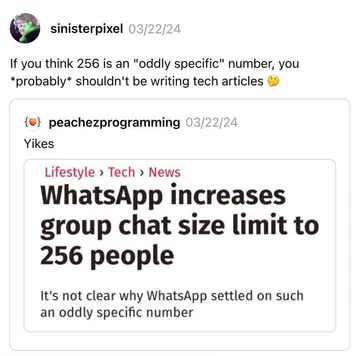
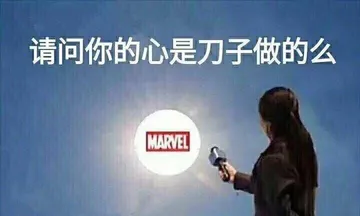
Send when reacting to a weird tech take or an odd product decision.
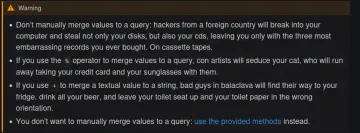
Ideal for developer newsletters warning about SQL injection or security.
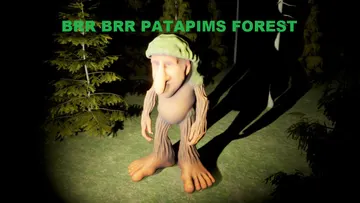
Use when writing about brainrot memes or Italian brainrot characters.


When to use which meme source
For quick reactions and relatable humor, browse memecub.com's free library. Search by keyword or scroll categories to find classics like 'This is fine' or niche memes like 'Prompt Engineer Vs Sloperator'.
If you need a meme tailored to your post, use the AI meme maker at /generate. Describe a character, action, and caption, or start from an existing meme as reference. It takes about 10 seconds per image and costs 500 credits.
For hands-off placement, paste your article into /match and the AI will pick a fitting meme for each paragraph. This is useful for long posts where you want visual breaks.
How to add memes to Substack
Download the meme image from memecub.com, then upload it to your Substack post using the image button in the editor. You can also copy the image URL and paste it directly.
Keep memes relevant to your text and avoid overusing them. One or two per section is usually enough to keep readers engaged without distracting.
For custom memes, generate them with the AI meme maker, download, and insert as above. The AI refuses real people, so stick to fictional or generic characters.
Copyright and tone
Most memes on memecub are collected from the web and are free for personal chats only; copyright stays with original creators. For commercial Substack posts (e.g., paid newsletters), use the filter that shows openly licensed images from Openverse, open-source emoji, and public-domain art.
Match the meme's tone to your newsletter's voice. A 'This is fine' meme works for ironic or relatable content, while a 'Prompt Engineer Vs Sloperator' meme suits tech commentary.
Always credit the original creator when possible, especially for openly licensed images. Avoid memes that could be offensive or misread by your audience.
Nothing quite right? Make one
Pick a character, type a caption, get it in about 10 seconds.
More that fit






FAQ
What are some good memes to include in a Substack newsletter?
Classic reaction memes like 'This is fine' or 'Still In 2024' work well for relatable humor. For tech or writing posts, try 'Prompt Engineer Vs Sloperator' or 'When Documentation Writers Go Nuclear On SQL Injection'.
How do I add memes to my Substack?
Download or copy a meme from memecub.com, then upload it to your Substack post using the image button in the editor. You can also use the AI meme maker to create custom memes and insert them the same way.
Where can I get memes for my Substack blog?
memecub.com offers a free meme library with search and download, no sign-up needed. For custom memes, use the AI meme maker or AI meme placement tool.
Can I use memes from memecub commercially?
Most memes are for personal use only. Use the filter for openly licensed images (Openverse, open-source emoji, public-domain art) if you need commercial use.
What are the hottest memes right now?
Trends change fast, but brainrot memes like Brr Brr Patapim and classic 'This is fine' remain popular. Browse memecub.com for current selections.