How can I use memes to promote my Substack newsletter?
Use memes that match your newsletter’s niche and voice, place them where they get seen (social posts, notes, and inside issues), and always add a clear subscribe link. Start with a meme that captures a common pain point your readers feel, like the Growth curve for marketing struggles or Senior Python Developer for tech humor. For custom jokes, memecub’s AI meme maker can generate a meme from a short description in about 10 seconds.
Send when joking about the messy reality of newsletter growth versus polished advice.
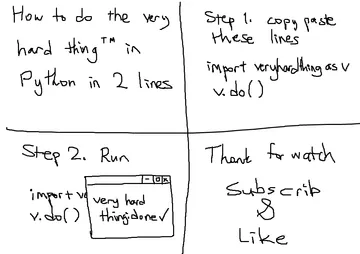
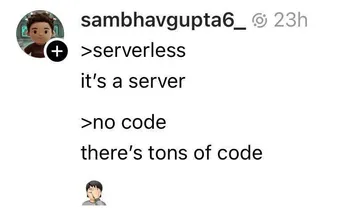
Use in a tech newsletter to poke fun at overcomplicated tutorials and “elegant” solutions.
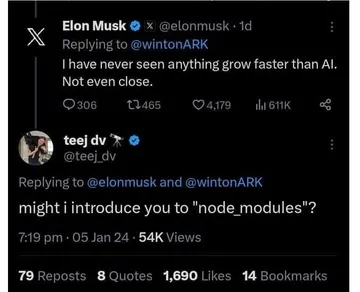
Share when talking about unrealistic growth expectations or viral moments.
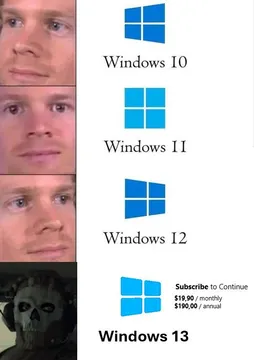
Pair with a post about subscription fatigue or the cost of paying for too many newsletters.
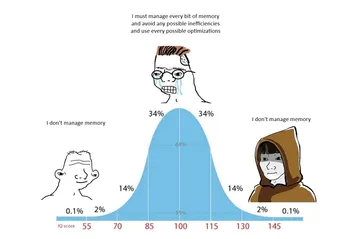
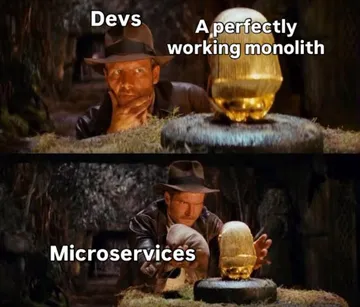
For developer audiences: a joke about refactoring as a way to get attention.
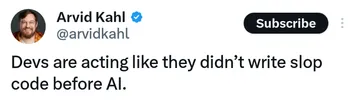
Use when writing about copy-paste culture or learning to code from forums.
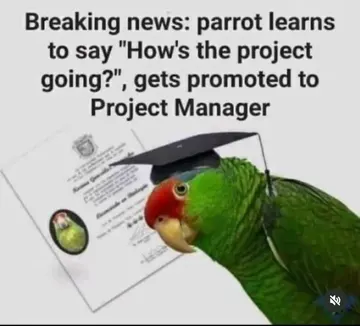
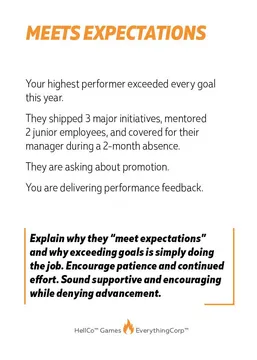
A light jab at self-promotion that works for marketing or career newsletters.
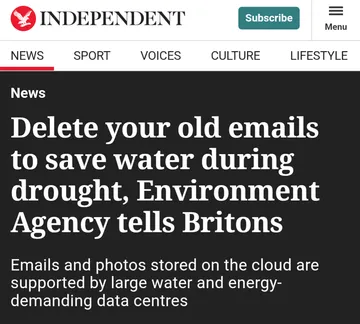
Send when joking about endless software updates or version fatigue.
Pick memes that fit your newsletter’s niche
Choose memes that your readers will instantly recognize as “their” humor. For a tech newsletter, the Senior Python Developer comic or Stackoverflow Copy Paste meme can work; for a marketing newsletter, the Growth curve or The Real Exponential Growth Champion fits.
Avoid generic memes that could belong to any newsletter. The more specific the joke, the more likely readers will share it and click through to subscribe.
Place memes where they get seen
Use memes in three places: social posts that link to your Substack, Substack Notes, and inside your issues as a visual break. On social, pair the meme with a one-line take and a subscribe link.
Inside an issue, place a meme right after a key point to reinforce it. If you have a long article, memecub’s AI meme placement can suggest a fitting meme for each paragraph.
Make custom memes when nothing fits
If you can’t find the right meme, describe a character, action, and caption to memecub’s AI meme maker. It generates an image in about 10 seconds and refuses real people, so you can keep it safe for work.
You can also start from any existing meme as a reference. Remember that most memes are collected from the web and are for personal use only; if you need commercial use, use the filter for openly licensed images.
Tone and etiquette
Keep memes friendly and on-brand. Avoid inside jokes that exclude new readers, and don’t use memes to mock your audience.
Always credit the original creator when you can, and don’t alter memes in ways that change their meaning. A meme should add a smile, not confusion.
Nothing quite right? Make one
Pick a character, type a caption, get it in about 10 seconds.
More that fit






FAQ
What meme marketing strategies work for Substack?
Use niche memes that reflect your readers’ pain points, post them on social media with a subscribe link, and include them in Notes and issues. Consistency matters more than volume: a meme that fits your voice will get shared more.
Can memes help grow my Substack subscribers?
Yes, when they are relevant and shareable. Memes lower the barrier to engagement and make your newsletter more memorable, but they work best alongside clear calls to action and a consistent publishing schedule.
Where can I find memes for my Substack?
You can browse memecub.com for a free meme library, search by keyword, and copy or download without signing up. For custom memes, use the AI meme maker.
Are memes from the web free to use commercially?
Most memes collected from the web are for personal use only; copyright stays with the original creators. For commercial use, use the filter that shows openly licensed images.
What are the hottest memes right now?
Meme trends change quickly, so check memecub’s library or social feeds for current favorites. For Substack, focus on memes that fit your niche rather than chasing every trend.