Why won't my GIF play in Google Slides?
Your GIF won't play in Google Slides usually because it was inserted as a static image (e.g., via Upload or Drive) or the file isn't a true animated GIF. To fix it, use Insert > Image > GIFs and stickers to add an animated GIF directly, or re-upload a proper .gif file. Also check that you're in normal view, not presenter view, and that the GIF isn't set as a background.
Send when you're staring at a frozen GIF and have no idea why it won't move.
Use when someone insists the GIF should work but it's just not animating.
Perfect for reacting to a slide that refuses to play the GIF you carefully picked.
When you're begging for help because the GIF won't play and the presentation is due.
For the moment you realize your GIF is static and you feel like crying.
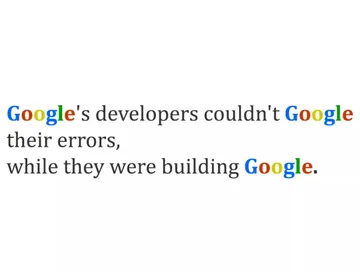
A sad meme to express your frustration when Google Slides won't cooperate.





Common reasons your GIF won't play
The GIF was inserted as a static image: If you used Insert > Image > Upload from computer or Google Drive, Slides may treat it as a still image. Use Insert > Image > GIFs and stickers instead, or re-upload the GIF via the Insert menu.
The file isn't a true animated GIF: Some files have a .gif extension but are actually static or corrupted. Test the GIF in a browser to confirm it animates.
You're in presenter view or slideshow mode: GIFs may not animate in some views. Switch to normal editing view to check.
The GIF is set as a background: Background images don't animate. Insert it as a regular image instead.
How to insert a GIF correctly
Step 1: Open your Google Slides presentation.
Step 2: Go to Insert > Image > GIFs and stickers.
Step 3: Search for a GIF or paste a URL, then click to insert.
Step 4: Resize and position the GIF on your slide.
Alternative: If you have a GIF file, use Insert > Image > Upload from computer and select the .gif file. Make sure it's animated.
Where to find GIFs and how to make your own
Google Slides has a built-in GIF search, but if you need something specific, try memecub.com. It's a free meme library with a search and download option, no sign-up needed. For personal chats, most memes are collected from the web and free to use; for commercial use, use the filter to show only openly licensed images.
If you can't find the right GIF, memecub's AI meme maker lets you describe a character, action, and caption to generate a custom meme in about 10 seconds. You can also paste an article and let AI pick a fitting meme for each paragraph.
Nothing quite right? Make one
Pick a character, type a caption, get it in about 10 seconds.
More that fit







FAQ
Can you put GIFs in Google Slides?
Yes, Google Slides supports animated GIFs. Use Insert > Image > GIFs and stickers to add them directly, or upload a GIF file via Insert > Image > Upload from computer.
Why won't GIFs work on Google Slides?
GIFs may not animate if they were inserted as static images, if the file isn't a true animated GIF, or if you're in a view that doesn't support animation. Try re-inserting via the GIFs and stickers option.
How do I insert a GIF in a slide?
Go to Insert > Image > GIFs and stickers, search for a GIF, and click to add it. Alternatively, upload a GIF file from your computer.
How to create a GIF for Google Slides?
You can use an AI meme maker like memecub.com/generate to create a custom GIF by describing the character, action, and caption. It takes about 10 seconds per image.
Why is my GIF not animating in Google Slides on iPhone?
On mobile, GIFs may not animate in the editing view. Try viewing the slideshow or use a desktop browser for full animation support.