What meme size works best for Instagram and TikTok?
For Instagram feed posts, make memes 1080×1080 pixels (1:1). For TikTok, Instagram Reels and Stories, use 1080×1920 pixels (9:16) so the meme fills the screen without black bars. A 1080-pixel width is the safe baseline everywhere, and keeping captions away from the top and bottom edges stops the app UI from covering your punchline.
Send when someone asks for the one rule that fixes their blurry meme: start at 1080 wide.
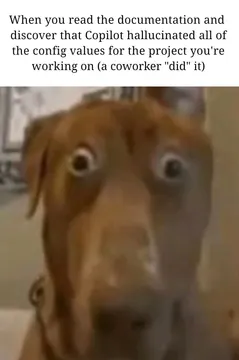
The wide-eyed dog face for the moment you upload a 700px meme and watch it turn to mush.
The shaking Shiba for when a vertical meme gets cropped by the feed and the caption is gone.
The cassette close-up works as a “back to basics” reply when someone overcomplicates export settings.
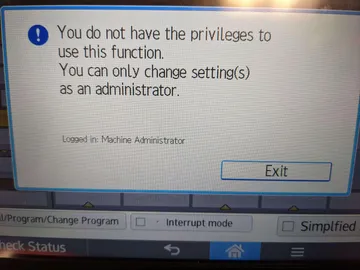
The permissions error dialog for when the app refuses your file size or format.
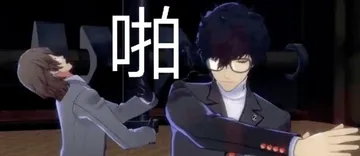
Joker’s calm swing fits a dry “fixed it, resized to 1080×1920” reply in a group chat.
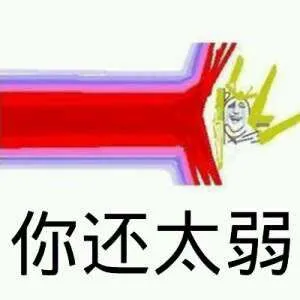
The red beam hitting a tiny figure for comparing a full-screen 9:16 meme to a squashed one.
The sizes to use, by placement
Instagram feed (square): 1080×1080 px, 1:1. This is the classic meme shape and the safest for text-heavy images.
Instagram feed (portrait): 1080×1350 px, 4:5. Takes more vertical space in the feed while staying post-shaped.
TikTok, Reels and Stories: 1080×1920 px, 9:16. Full-screen vertical is what these formats expect.
Landscape memes: 1080×566 px (roughly 1.91:1) for link previews and wide posts. Avoid 16:9 for feed memes; it leaves empty bands on phones.
Keep the punchline out of the app UI
On TikTok and Reels, the caption, username and buttons sit over the bottom of the video and the top has the header. Leave roughly the top and bottom tenths of a 1080×1920 canvas free of text.
On Instagram feed, the caption and like row appear below the image, so keep the joke inside the frame rather than at the very bottom edge.
If you reuse one meme in both places, design at 1080×1920 and center the joke vertically; the square crop for feed will still keep the text.
Export settings that keep memes sharp
Export at the final pixel size rather than upscaling a small image. A 700×700 meme stretched to 1080×1080 looks soft on modern phones.
Use PNG for flat text and line art, JPG for photo memes. Keep file sizes modest so uploads do not get recompressed heavily.
When you download a meme from memecub.com, check its native size first; if it is small, the AI meme maker at /generate can rebuild the idea at the ratio you need, about 10 seconds per image.
Web-collected memes are fine for personal chats and posts; for brand accounts, use the openly licensed filter so the image is cleared for commercial use.
Which ratio wins: 4:3, 16:9 or 1:1
1:1 and 4:5 beat 4:3 and 16:9 on phones because feeds are vertical. 16:9 is best for YouTube thumbnails and link cards, not for feed memes.
4:3 sits between the two: acceptable for older templates, but it wastes screen space on TikTok and Stories.
If you only remember one number, remember 1080 pixels wide and pick the height from the placement: 1080 for square, 1350 for portrait feed, 1920 for vertical video.
Nothing quite right? Make one
Pick a character, type a caption, get it in about 10 seconds.
More that fit
FAQ
What is a good size for a meme?
1080×1080 pixels is a solid default for square memes, and 1080×1920 for anything vertical. Anything under about 700 pixels wide will look blurry once a phone scales it up.
Is 4:3 or 16:9 better for social media?
Neither is ideal for phone feeds. 1:1 or 4:5 fills more of the screen on Instagram, and 9:16 is required for TikTok and Reels. Use 16:9 mainly for link previews and video thumbnails.
What are the ideal image sizes for Instagram Stories and Reels?
Both use 1080×1920 pixels, a 9:16 ratio. Keep captions away from the top and bottom edges where the app overlays its own text and buttons.
Do meme dimensions change in 2026?
The core numbers have stayed stable: 1080 pixels wide, with 1:1, 4:5 and 9:16 covering most placements. Check the app’s current upload guidance if a format looks cropped.
Can I resize a meme I found online?
Yes for personal use, but upscaling a small file will not add detail. Rebuilding the joke at the right ratio, for example with the AI meme maker on memecub, usually looks better than stretching it.