How can I use an MCP server to let AI agents find and place memes?
Connect your AI agent to memecub's remote MCP server at https://memecub.com/mcp. The agent can then search memes by keyword and place them in text. You can also install the memecub skill with npx skills add https://memecub.com for Claude Code, Codex, or Cursor. A keyless trial allows 20 searches per day.
Send when your MCP setup finally works and you feel like a pro.
For when you and your AI agent debate MCP for an hour and it finally agrees.
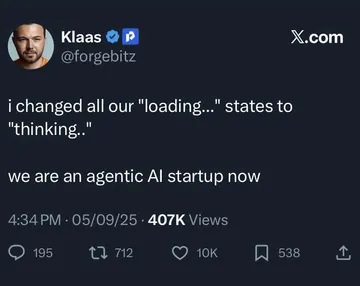
Use when you automate meme search and placement in your agent workflow.
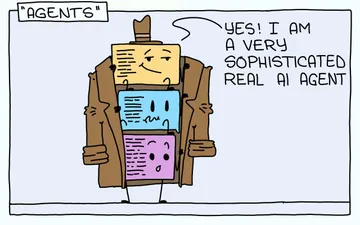
A joke about AI agents being simple prompts—fits when explaining MCP to newcomers.
When you need to place a meme in a Japan-related context or template.
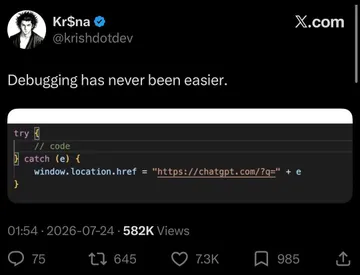
For the moment your agent finds the perfect meme for a paragraph.
When you automate meme placement even for serious articles.
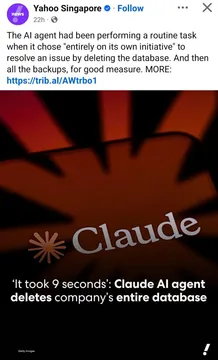
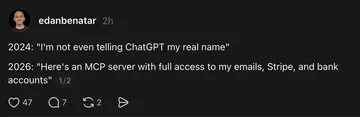
A cautionary tale about giving AI agents too much power.





How the memecub MCP server works
The MCP server exposes memecub's meme search and placement as tools that AI agents can call. Your agent sends a query like “debugging” or “AI agent”, and the server returns matching memes with titles and descriptions. The agent can then pick one and insert it into a chat or document.
The server is remote, so you don't need to host anything. Just point your MCP client to https://memecub.com/mcp. Authentication is optional for the keyless trial, which allows 20 searches per day.
Connect from Claude Code, Cursor, or Codex
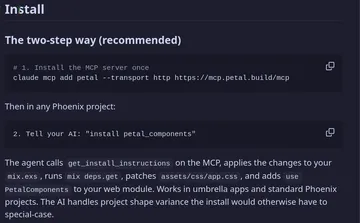
For Claude Code, add the server to your MCP configuration. For example, in your settings file:
json
{
  "mcpServers": {
    "memecub": {
      "url": "https://memecub.com/mcp"
    }
  }
}
Alternatively, install the memecub skill with npx skills add https://memecub.com. This adds a skill that teaches your agent how to search and place memes using the MCP server.
For Cursor or Codex, use the same URL in their MCP server settings. The agent will then have access to meme search and placement tools.
Search and place memes with the REST API or CLI
If you prefer direct API calls, use the REST API. A search costs 1 credit per call. Example with curl:
bash
curl "https://memecub.com/api/search?q=debugging"
The CLI npx memecub offers a quick way to search from the terminal. For example: npx memecub search "AI agent".
To place memes automatically in an article, use the AI meme placement feature at /match. Paste your text and the AI picks a fitting meme for each paragraph.
Tone and etiquette for meme placement
Memes should add context or humor, not distract. Use them sparingly—one per section or paragraph at most. Check that the meme's tone matches your content; a debugging meme in a serious incident report might not land well.
Most memes are collected from the web and are for personal chats only; copyright stays with the original creators. For commercial use, enable the filter for openly licensed images (Openverse, open-source emoji, public-domain art).
Let your AI find the memes
REST API, remote MCP, CLI and a skill. Try 20 searches a day without a key.
More that fit




FAQ
What is the memecub MCP server URL?
The remote MCP server is at https://memecub.com/mcp. You can add it to any MCP-compatible client like Claude Code, Cursor, or Codex.
Is there a free tier for the MCP server?
Yes, there is a keyless trial that allows 20 searches per day. For more usage, see the plans: free 1000 credits a month, Hobby $3/mo, Pro $9/mo, and Scale $29/mo.
How do I install the memecub skill?
Run `npx skills add https://memecub.com` in your terminal. This installs the skill into Claude Code, Codex, Cursor, and others.
Can I use memecub memes commercially?
Most memes are collected from the web and are for personal use only. For commercial use, use the filter to show only openly licensed images (Openverse, open-source emoji, public-domain art).
What if my agent can't find a suitable meme?
You can use the AI meme maker at /generate to create a custom meme. Describe a character, action, and caption, or start from an existing meme as reference. It takes about 10 seconds per image and costs 500 credits.