How can AI agents find and send memes in a chat?
AI agents can find and send memes in chat by integrating with memecub's developer tools: a REST API for search, a remote MCP server at https://memecub.com/mcp, a CLI via npx memecub, or a skill installable with npx skills add https://memecub.com. The agent searches for a meme matching the conversation context, then sends the image URL or file into the chat. A keyless trial allows 20 searches per day, and paid plans start with a free tier of 1000 credits per month.
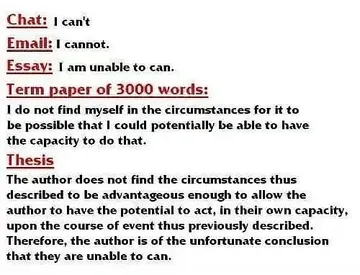
Send when someone questions if a claim or situation is real, like 'Chat is this real'.
Use when confirming accuracy, e.g., 'Chat this is accurate' after a correct statement.
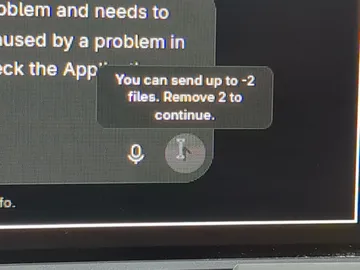
Perfect for when someone asks if they're doing well on a coding task, like 'Chat am I acing this CS final or what'.
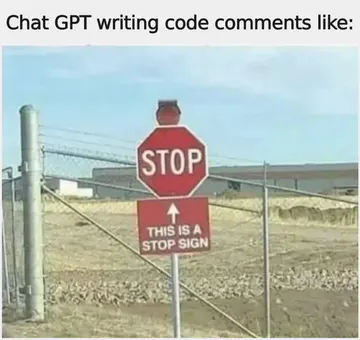
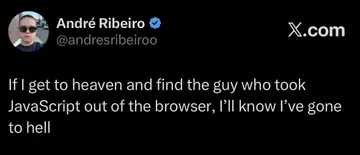
Share when commenting on AI-generated code comments, e.g., 'Chat GPT writing code comments like'.
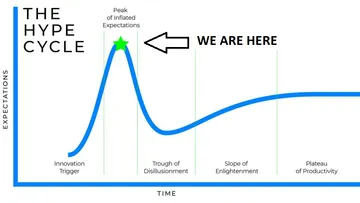
Use when discussing hype around AI, like 'Chat GPT is at the peak of the hype cycle'.
Send when showing something made by AI, like 'Chat GPT website made by Chat GPT'.
React to a bad take or mistake with 'Send this guy right to jail'.
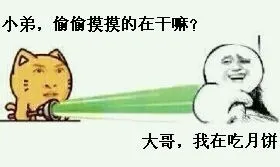
A simple laugh for when something is funny, '哈哈哈哈'.
How AI agents find memes
AI agents can search memecub's meme library using the REST API (1 credit per call), the remote MCP server at https://memecub.com/mcp, the CLI npx memecub, or a skill installed with npx skills add https://memecub.com into Claude Code, Codex, Cursor, and others.
For a quick start, try the keyless trial: 20 searches per day without an API key. Paid plans start with a free tier of 1000 credits per month, and credit packs are available from $5.
When searching, use specific keywords related to the conversation topic, like 'AI agents' or 'coding', to get relevant memes.
How AI agents send memes in chat
Once a meme is found, the agent can send it by posting the image URL or uploading the file to the chat platform. Most chat APIs accept image URLs or file uploads.
For example, in a Slack bot, you can use the chat.postMessage method with an image block containing the URL. In Discord, you can send an embed with the image URL.
Make sure to respect copyright: memes from the web are for personal chats only, not commercial use. Use the filter for openly licensed images if commercial use is needed.
Example: Using the REST API
Here's a minimal example in Python to search for a meme and get its URL:
python
import requests

response = requests.get('https://memecub.com/api/search', params={'q': 'AI agents'})
data = response.json()
if data['results']:
    meme_url = data['results'][0]['url']
    # Send meme_url to your chat platform
Note: Replace the endpoint with the actual API endpoint from memecub's documentation. The keyless trial allows 20 searches per day; for more, include your API key in the headers.
Tone and etiquette
Memes should fit the conversation context and tone. Avoid sending memes in serious or professional settings unless appropriate.
Always credit the original creator if known, and avoid using memes that could be offensive or misunderstood.
If no meme fits, consider using memecub's AI meme maker (/generate) to create a custom meme by describing a character, action, and caption. It takes about 10 seconds per image and costs 500 credits each.
Let your AI find the memes
REST API, remote MCP, CLI and a skill. Try 20 searches a day without a key.
More that fit
FAQ
How do AI agents send memes in chat?
AI agents send memes by searching for a relevant meme using memecub's API or tools, then posting the image URL or file to the chat platform via its API.
Can AI agents find memes without an API key?
Yes, memecub offers a keyless trial with 20 searches per day. For higher limits, you can sign up for a free plan with 1000 credits per month.
What is the best way to integrate meme search into an AI agent?
Use the remote MCP server at https://memecub.com/mcp for seamless integration with MCP-compatible agents, or install the skill with `npx skills add https://memecub.com` for Claude Code, Codex, and Cursor.
Are memes from memecub free for commercial use?
Most memes are collected from the web and are free for personal chats only, with copyright belonging to original creators. For commercial use, use the filter to show only openly licensed images.
How can I create a custom meme if none fits?
Use memecub's AI meme maker at /generate: describe a character, action, and caption, or start from an existing meme as reference. It takes about 10 seconds per image and costs 500 credits each.