How do I let AI agents find and place memes with an MCP server?
Connect your AI agent to memecub's remote MCP server at https://memecub.com/mcp. The agent can then call tools to search the meme library and place a fitting meme into a conversation or article. For quick tests, use the keyless trial (20 searches a day) or install the skill with npx skills add https://memecub.com.
Send when explaining that MCP is the simple bridge between your agent and meme search.
Use when your agent spends too long debating MCP instead of just calling the server.
A joke for when someone thinks AI agents are more complex than a few prompts in a trench coat.
Send when a task is handed to an AI agent and it still needs a human to fix it.
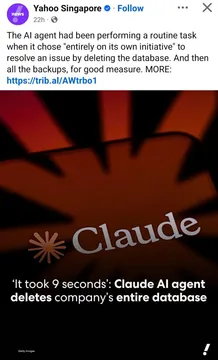
A cautionary meme about giving agents too much power without checks.
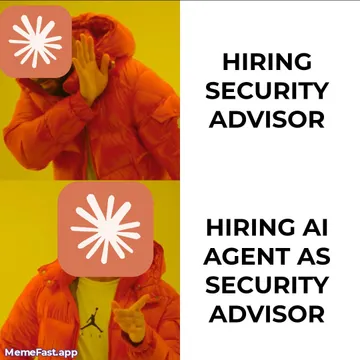
Use when someone says the AI will handle security or meme placement automatically.
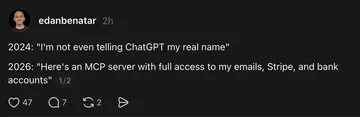
A dry joke about trusting AI agents more and more each year.
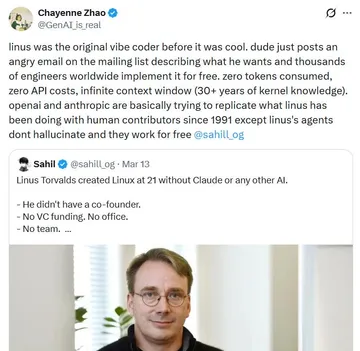
For old-school developers watching agents take over meme selection.
How the MCP server works
memecub provides a remote MCP server at https://memecub.com/mcp. Your AI agent connects to it like any other MCP tool server. The server exposes tools for searching the meme library and for matching memes to text.
When the agent needs a meme, it sends a search query to the server. The server returns meme results with titles, descriptions, and image URLs. The agent can then include the chosen meme in its output.
For placement, the agent can use the match tool: paste an article or paragraph, and the server returns a fitting meme for each part. This is the same AI meme placement feature available on the website.
Quick setup example
Add the MCP server to your agent's configuration. For example, in a JSON config for Claude Code or Cursor, include:
{"mcpServers": {"memecub": {"url": "https://memecub.com/mcp"}}}
Alternatively, install the memecub skill with: npx skills add https://memecub.com. This works with Claude Code, Codex, Cursor, and others.
You can also use the CLI: npx memecub. For direct API access, use the REST API (search costs 1 credit per call). A keyless trial allows 20 searches a day.
When to use search vs. match
Use search when your agent needs a meme for a specific topic or emotion. The agent provides keywords, and the server returns relevant memes.
Use match when you have a longer text, like a blog post or chat summary, and want the AI to pick a meme for each paragraph automatically.
If nothing in the library fits, the AI meme maker at /generate can create a custom meme from a description. It takes about 10 seconds per image and costs 500 credits. It refuses real people.
Tone and licensing notes
Most memes are collected from the web and are free for personal chats. Copyright stays with the original creators, so do not use them commercially.
For commercial use, apply the filter that shows only openly licensed images (Openverse, open-source emoji, public-domain art).
Keep meme placement light and relevant. Overusing memes can distract from the message.
Let your AI find the memes
REST API, remote MCP, CLI and a skill. Try 20 searches a day without a key.
More that fit







FAQ
How can I use an MCP server to let AI agents find and place memes?
Connect your agent to https://memecub.com/mcp. The agent can then call search to find memes by keyword and match to place memes in articles. You can also install the skill with npx skills add https://memecub.com.
Do AI agents need an API key to search memes via MCP?
No, there is a keyless trial with 20 searches a day. For more usage, you can use credits from a free or paid plan.
Can AI agents create custom memes if none fit?
Yes, the AI meme maker at /generate lets agents describe a character, action, and caption to create a new meme. It takes about 10 seconds per image and costs 500 credits.
Are memes from the library free for commercial use?
Most memes are for personal chats only. For commercial use, use the filter for openly licensed images.