How do I send a meme on WhatsApp on Android?
On Android, open the chat, tap the attach (paper clip) icon, choose Gallery, pick the meme image and tap Send. For a GIF, tap the sticker icon in the message bar, open the GIF tab, search or pick one, then tap Send. You can also save a meme from memecub.com to your phone first and send it the same way through Gallery.
Send when a friend posts something so bad it deserves a dramatic verdict.
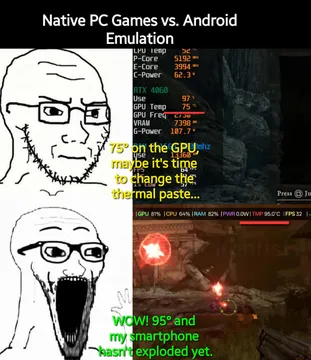
The go-to reply when the group chat starts an Apple vs Android argument.
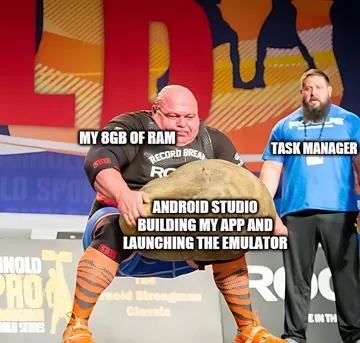
For the moment a developer friend complains about the Android dev ecosystem.
Drop it in a work chat right before shipping something risky.
Use it when someone jokes about Android users being watched.
A celebratory send for small wins, like a build finally passing.
For the coworker who quietly agrees with everything in the meeting.


Send a saved meme from your gallery
Save the meme image to your phone first (long-press the image in your browser and choose Download image).
Open the WhatsApp chat, tap the attach (paper clip) icon, then tap Gallery.
Pick the meme, add a caption if you want, and tap Send. WhatsApp compresses large photos, so a simple image meme usually looks fine.
Send a GIF without leaving WhatsApp
Tap the sticker icon in the message bar, then open the GIF tab.
Use the search box to find a reaction, or scroll the categories. Tap the GIF you want, then tap Send.
This uses WhatsApp's built-in GIF search, so you do not need to download anything first. It is free and counts as a normal message.
Turn a meme into a sticker
Open the meme in your gallery, then in WhatsApp tap the sticker icon and choose the plus or create option to add your own sticker from a photo.
Crop it to the part you want and save. Stickers send faster than full images and fit neatly in a chat.
If you cannot find the right meme, memecub.com has a free library you can search and download, and its AI meme maker can create one from a description.
Tone and etiquette
Match the meme to the chat: work groups and family chats usually take gentler humor than a close friends group.
Avoid sending several memes in a row in a busy group; one well-timed image lands better than a flood.
Memes collected from the web are fine for personal chats, but check the license before using them in anything commercial.
Nothing quite right? Make one
Pick a character, type a caption, get it in about 10 seconds.
More that fit


FAQ
How do I put a meme in WhatsApp?
Save the image to your phone, then in the chat tap the attach icon, choose Gallery, select the meme and tap Send. You can also add it as a sticker for quicker reuse.
How do I send GIFs in WhatsApp on Android?
Tap the sticker icon in the message bar, open the GIF tab, search or browse, then tap the GIF and tap Send. No download is needed.
Is it free to send GIFs on WhatsApp?
Yes. GIFs sent through WhatsApp's built-in search are normal messages, so they use your data connection but cost nothing extra.
Can I send a GIF from my gallery instead?
Yes. Tap the attach icon, choose Gallery, and pick the GIF or short video. WhatsApp can also send a short video as a GIF from the same menu.
Where can I find memes to send?
You can search memecub.com for English memes or its Chinese section for 表情包, then download the ones you like. Browsing and downloading are free and need no sign-up.