How do I send a GIF in iMessage?
To send a GIF in iMessage, open a conversation, tap the App Store icon (or the plus button), choose #images or GIPHY, search for a GIF, and tap it to send. If GIFs are missing, check that the #images app is enabled in Settings > Messages > iMessage Apps. You can also save a GIF from Safari or memecub.com and send it from Photos.
Send when everything is going wrong but you are pretending it is fine.
Perfect for reacting to shocking or surprising news in a chat.
A warm good morning GIF to start the day in a group chat.
A polite but slightly sarcastic thank you when someone helps out.
Use when you cannot believe what you just read or heard.
An enthusiastic thank you for bigger favors or gifts.
A dramatic OMG reaction for over-the-top gossip.
Another version of This is Fine for chaotic work moments.




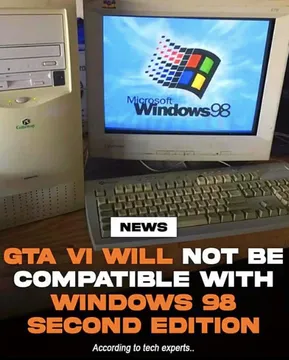



How to send a GIF using the built-in #images app
Open the Messages app and start a new conversation or tap an existing one.
Tap the App Store icon (or the plus button) to the left of the text field.
Tap #images (you may need to swipe left or tap More to find it).
Type a keyword like happy, thank you, or omg, then tap a GIF to send it instantly.
How to send a GIF from GIPHY or another keyboard
Download GIPHY or a GIF keyboard from the App Store.
In Messages, tap the App Store icon, then tap the GIPHY icon (or switch to the keyboard).
Search for a GIF and tap it to send. You can also long-press a GIF to save it to Photos and send it as an attachment.
What to do if GIFs disappeared from iMessage
Go to Settings > Messages > iMessage Apps and make sure #images is turned on.
If you are on iOS 17 or later, check that the app is not hidden under the More menu.
Restart the Messages app or your iPhone, and update to the latest iOS version.
If the built-in option is still missing, use GIPHY or save a GIF from memecub.com and send it from Photos.
Finding the right GIF for the moment
For reactions, search for classic memes like This is Fine, OMG, or Thank You.
memecub.com has a free meme library where you can browse, search, copy, and download GIFs for personal chats without signing up.
If you cannot find the perfect GIF, the AI meme maker at memecub.com/generate lets you describe a character, action, and caption to create a custom meme in about 10 seconds.
Nothing quite right? Make one
Pick a character, type a caption, get it in about 10 seconds.
More that fit







FAQ
How do you enable GIFs on iMessage?
Go to Settings > Messages > iMessage Apps and turn on #images. If you use a third-party app like GIPHY, make sure it is installed and enabled there as well.
Where have GIFs gone in iMessage?
They are usually hidden under the App Store icon or the plus button. Tap it, then look for #images or swipe through your installed iMessage apps.
Can you send a GIF on iMessage?
Yes. You can send GIFs through the built-in #images app, third-party apps like GIPHY, or by saving a GIF to your Photos and sending it as an attachment.
Did they get rid of GIFs on iMessage?
No, GIFs are still available. If you do not see the option, check your iMessage app settings or update to the latest iOS version.
How do I send a GIF from my iPhone Messages app?
Open a conversation, tap the App Store icon, select #images or GIPHY, search for a GIF, and tap it to send.