How do I make a reaction GIF on my phone?
On a phone, the fastest route is a GIF-maker app or a browser tool: pick a short video clip or a few photos, set the frame order and speed, add a caption, then export as a .gif and save it to your camera roll. iPhone users can also turn a Live Photo into a looping GIF with a shortcut or a GIF app, and Android users can convert a burst of photos the same way in most GIF-maker apps. If you just need a reaction and not a custom animation, grab a ready-made one from a meme library and send it directly.
Send when you want a big, theatrical “I can't believe it” reaction to news in the group chat.
A clean, simple surprised face for when a message leaves you speechless.
Point-up “no way” energy for reacting to a claim you refuse to accept.
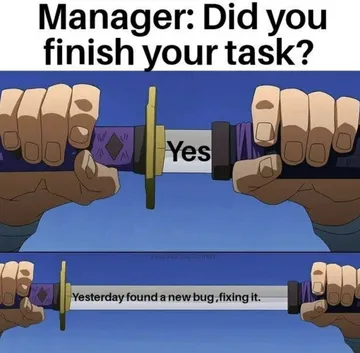
An exaggerated cartoon yes for agreeing loudly without typing anything.
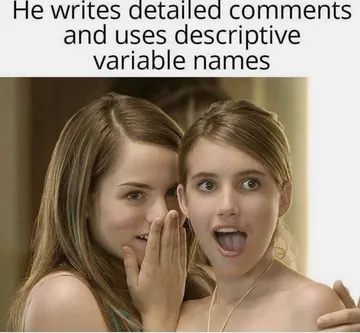
Two people whispering and giggling — perfect for gossip or a sly inside joke.
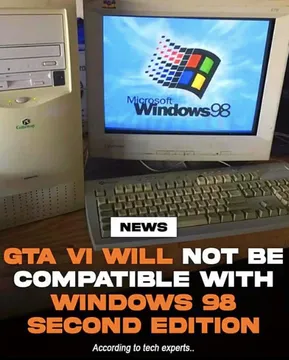
Retro PC with a Windows 98 logo for “my brain has stopped working” moments.
Dense code on screen — the reaction to a bug report or an impossible deadline.
A blunt OMG banner when a single word is all the reaction you need.





Make a GIF from a video clip
Open a GIF-maker app or a browser GIF maker on your phone and choose the video option. Trim the clip to a few seconds — reaction GIFs work best when the moment is short and the expression is clear.
Set the frame rate and loop, then add a caption if you want one. Keep the text short and place it where it does not cover the face.
Export as .gif and save it to your photos. Most chat apps will then let you send it from the keyboard or attach it as an image.
Make a GIF from photos
Pick two to six photos that show a change — a face going from calm to shocked, or a before-and-after. Order them as frames in the GIF maker.
Set the delay per frame. A slightly longer hold on the punchline frame reads better than a uniform speed.
Add text on the first or last frame, export, and save. If the app only exports video, convert the clip to GIF in the same app before saving.
iPhone and Android specifics
On iPhone, a Live Photo can become a looping GIF in a GIF app or with a Shortcut that converts the photo to GIF and saves it to Photos. You can then send it from Messages or any chat app.
On Android, most GIF-maker apps accept a gallery video or a burst of photos and export straight to your gallery. Check that the app saves a real .gif file, not a short video, if the chat app only accepts GIFs.
If you only need a reaction and not a custom animation, skip the editing: search a meme library like memecub for the emotion, download the image, and send it. When nothing fits, the AI meme maker at memecub.com/generate can create one from a description.
Tone and etiquette
Keep reaction GIFs short and readable on a small screen. A single clear expression beats a long clip with several things happening.
Match the tone of the chat. A dramatic OMG GIF lands in a friendly group but can read as mocking in a serious conversation.
Memes collected from the web are fine for personal chats; copyright stays with the original creators, so do not use them in ads or commercial posts. If you need something you can use commercially, use the openly licensed filter in the library.
Nothing quite right? Make one
Pick a character, type a caption, get it in about 10 seconds.
More that fit






FAQ
How do I make a reaction GIF for free?
Use a free GIF-maker app or browser tool to turn a short video or a few photos into a GIF, then save it to your phone. If you just want a reaction, downloading a ready-made meme from a free library is faster than making one.
Can I make a GIF from photos on my phone?
Yes. Choose the photos as frames in a GIF maker, set the order and delay, add a caption if you like, and export as .gif. Two to six frames is usually enough for a reaction.
How do I add text to a GIF on my phone?
Most GIF makers have a text tool: add the caption before exporting, keep it short, and place it away from the face. Some chat apps also let you add a caption when sending.
How do I make a custom GIF emoji?
Make or download a small GIF, then add it to your chat app's sticker or GIF keyboard if it supports custom entries. Keep the file small so it loads quickly.
Where can I find reaction GIFs without making one?
Search a meme library by emotion or situation, then download the image and send it. memecub.com lets you browse, search, copy and download without signing up.