How do I use a sticker API to send stickers in a chat app?
To send stickers in a chat app using an API, you typically integrate a sticker provider's SDK or REST API, fetch a sticker pack, and then send the selected sticker as an image or a special message type through your chat infrastructure. For a lightweight, developer-friendly option, memecub offers a REST API, MCP server, and CLI that let you search and retrieve memes and stickers without sign-up for a trial. Start by choosing a provider that fits your licensing needs, then follow their integration steps.
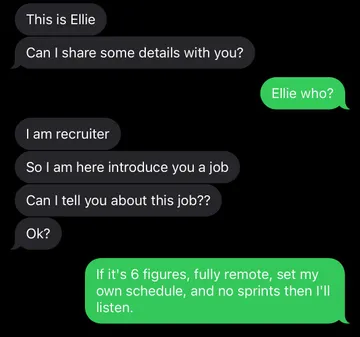
Send this when discussing the popularity of stickers in chat apps.
Use when talking about collecting or integrating sticker packs.
Share when someone worries about breaking their app by adding stickers.
Post when you lose your API key during integration.
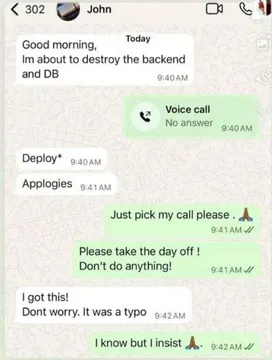
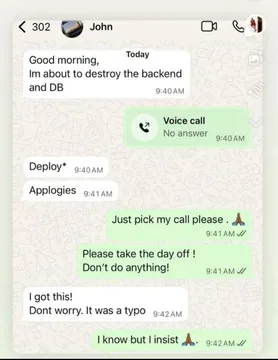
Send when a sticker API integration causes a technical emergency.
Use when a small typo in your API call causes a big problem.
Share when a single character error breaks your sticker sending.
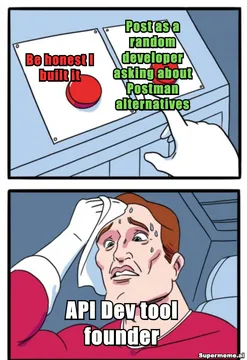
Post when deciding how to promote your sticker API tool.

How sticker APIs work in a chat app
A sticker API provides a way to search, retrieve, and send stickers. Most providers offer an SDK or REST endpoints that return sticker metadata and image URLs. Your chat app then displays the sticker in the message thread, either as an inline image or as a special message type.
For example, Stipop offers a complete sticker API and SDK that lets you add stickers to chat interfaces, feed comments, and more. Meta's Sticker API allows sending stickers within the standard messaging window, following the same rules as other message types. GIPHY provides SDKs and APIs for GIFs and stickers, with customizable features.
When choosing a provider, consider licensing: some APIs only allow public, free, first-party stickers, while others offer a wider range. memecub provides a REST API for searching memes and stickers, with a keyless trial of 20 searches per day, and a remote MCP server for AI agents.
Step-by-step integration example
1. Choose a sticker API provider and sign up for an API key if required. For a quick trial, memecub offers a keyless trial with 20 searches per day.
2. Fetch stickers: Use the provider's search endpoint to get a list of stickers. For example, with memecub's REST API, you can search for memes by keyword. Each search costs 1 credit.
3. Display stickers in your UI: Show the sticker images in a picker or grid. Users can tap to select a sticker.
4. Send the sticker: When a user selects a sticker, send the sticker's image URL or ID through your chat backend. Your app then renders the sticker in the message bubble.
5. Handle licensing: Ensure you comply with the provider's terms. For memecub, most memes are collected from the web and are free for personal chats, but not for commercial use. Use the filter for openly licensed images if you need commercial use.
Tone and etiquette for sticker usage
Stickers add fun and emotion to chats, but use them appropriately. Avoid sending too many stickers in professional settings, and make sure they are relevant to the conversation.
Respect copyright: only use stickers that you have the right to use. For commercial apps, choose stickers with clear licensing, such as those from Openverse or public-domain sources.
If you're building a chat app, give users control over sticker packs and the ability to report inappropriate content.
Alternatives and considerations
Besides Stipop, GIPHY, and Meta, there are other sticker APIs like Open Sticker and various GitHub projects. Evaluate based on your needs: library size, licensing, ease of integration, and cost.
For AI-powered features, memecub offers an AI meme maker that can generate custom memes from a description, and an AI meme placement tool that picks memes for articles. These can be integrated via API or MCP.
Remember that sticker APIs may have usage limits and require attribution. Always read the terms of service.
Let your AI find the memes
REST API, remote MCP, CLI and a skill. Try 20 searches a day without a key.
More that fit



FAQ
Is there a free sticker API?
Yes, some providers offer free tiers or trials. For example, memecub offers a keyless trial with 20 searches per day, and a free plan with 1000 credits per month. Stipop and GIPHY also have free tiers with limitations.
How do I download stickers for my app?
Most sticker APIs provide image URLs that you can download or display directly. You can also use SDKs that handle caching and display. For memecub, you can download memes from the website for personal use, or use the API to fetch them programmatically.
Can I use stickers from the web in my commercial app?
Not always. Many stickers are copyrighted and only free for personal use. Look for APIs that offer openly licensed or public-domain stickers, or use memecub's filter for openly licensed images (Openverse, open-source emoji, public-domain art) that can be used commercially.
What is the Telegram sticker API?
Telegram has its own sticker API that allows bots to send stickers and manage sticker sets. It is separate from general sticker APIs and is specific to the Telegram platform.
How do I integrate stickers into WhatsApp?
WhatsApp has a Business API that supports sending stickers, but it requires approval and follows specific guidelines. For personal use, you can create sticker packs using third-party apps.