Where can I find reaction memes to reply to tweets on Twitter?
The quickest route is a searchable meme library: open memecub.com, search a mood like “this is fine” or “lol”, then copy or download the image and attach it to your reply on Twitter. Reddit's r/ReactionMemes and reaction-picture accounts on Twitter itself are good for browsing what's trending, but they are harder to search. If nothing fits the exact moment, memecub's AI meme maker can build one from a description in about 10 seconds.
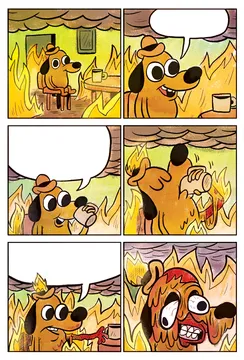
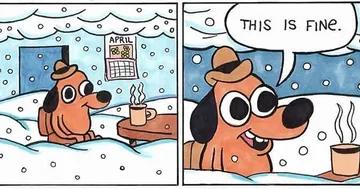
The default reply when a thread is clearly going down in flames and everyone is pretending it's fine.
A second take on the same joke, good when you want the burning-room version with the coffee mug in frame.
Send it under a tweet that is trying very hard to be deep and just floats there.
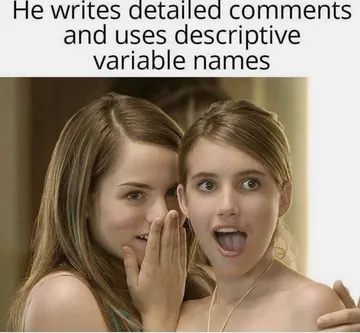
For the reply that implies you and the group chat are already talking about this tweet.
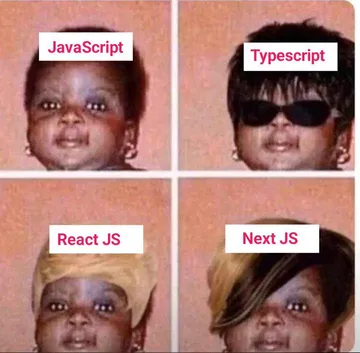
Use it when someone posts a before-and-after or a glow-up that looks suspiciously identical.
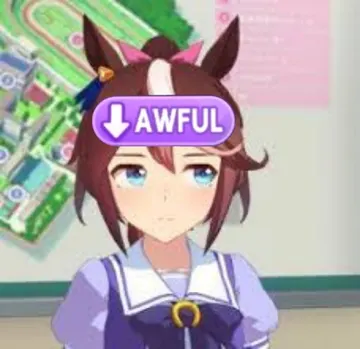
A blank stare for bad takes and announcements nobody asked for.
For replies about grinding a game, a project or a timeline far longer than expected.
Drop it when a tweet announces the death of a framework, app or trend you still use daily.




How to send a reaction meme as a Twitter reply
Find the image first, then reply. On memecub.com, type the mood or the meme name into search, open the one you want, and use copy or download. Browsing, searching, copying and downloading on the site are free and need no account.
On Twitter, hit Reply, tap the image icon, pick the file you just downloaded, and post it with a short caption or none at all. A reaction image usually works better alone than with an explanation.
Keep the file small and the crop square-ish so the punchline is visible in the timeline without tapping. If the joke is in the caption inside the image, don't repeat it in your text.
Where else people look, and what each source is good for
Reddit's r/ReactionMemes is a steady stream of fresh reaction images and is good for seeing what's currently circulating, but posts are chronological, not searchable by mood.
Reaction-picture accounts on Twitter itself, like the fan accounts that repost favourites, are handy when you want something already proven in that format. They usually state they don't own the images.
Pinterest boards collect “Twitter reply memes” in bulk, which is useful for browsing but weak for finding one specific expression.
A searchable library like memecub.com is the fastest when you know the feeling you want, because you can search the caption or the meme name instead of scrolling.
Tone and etiquette for reply memes
Match the size of the joke to the tweet. A reaction image under a serious or personal post reads as mocking; save the deadpan ones for bad takes, brand accounts and obvious jokes.
Most memes in public libraries are collected from the web: fine for personal replies, but copyright stays with the original creators, so don't reuse them in ads, merch or brand campaigns. memecub has a filter that shows only openly licensed images, which is the set to use when the reply is commercial.
Don't stack several reaction images in one thread, and avoid reposting the same image under every reply from an account; it reads as a bot.
When no existing meme fits
Describe the character, the action and the caption in memecub's AI meme maker at /generate, or start from any meme in the library as a reference. It takes about 10 seconds per image and costs 500 credits; it refuses real people, so keep it to cartoons, animals and objects.
If you write longer posts and want an image per paragraph, /match takes a pasted article and picks a fitting meme for each section.
Developers and AI agents can search the same library through the REST API, the MCP server at https://memecub.com/mcp, the CLI with npx memecub, or a skill installed with npx skills add https://memecub.com. The keyless trial allows 20 searches a day.
Quick comparison
Reddit and Twitter accounts: freshest and most social, least searchable, quality varies by post.
Pinterest boards: good for browsing styles and formats, not for finding one exact expression.
memecub.com: searchable by mood and caption, free to browse, copy and download without sign-up, with an AI maker for anything missing.
Nothing quite right? Make one
Pick a character, type a caption, get it in about 10 seconds.
More that fit


FAQ
Where can I download reaction pictures for Twitter replies?
Open memecub.com, search the mood or meme name, and use the download or copy button on the image page. No sign-up is needed, and browsing, searching and downloading are free.
What are the best sites for Twitter reply memes?
r/ReactionMemes and reaction-picture accounts on Twitter are best for what's trending right now. A searchable library like memecub.com is better when you already know the expression you need.
Where can I get funny reaction images to use on Twitter?
Search a library by caption or mood, or browse Reddit and Pinterest boards for ideas. If nothing matches, describe the scene in memecub's AI meme maker and it generates an image in about 10 seconds.
Can I use reaction memes from the web commercially?
Most collected memes are for personal chats only, and copyright stays with the original creators. For commercial use, switch on the openly licensed filter, which shows images from Openverse, open-source emoji and public-domain art.
Do I need an account to get reply memes?
No. Browsing, searching, copying and downloading on memecub.com work without signing up; an account only matters for credits and plans if you use the AI tools.