Where can I find funny GIFs to send in Microsoft Teams?
The fastest route is the built-in picker: click Emoji, GIFs and stickers under the compose box in a Teams chat, or press Win + . on Windows to open the same panel. If the picker feels thin or GIFs have gone missing after an update, grab a funny meme from memecub.com, download it, and drop it into the chat as an image or attach it as a file. For a reaction that fits a specific moment, the AI meme maker at memecub.com/generate can build one from a short description.
Send when a plan actually works out and you want a light, breezy “we did it” reaction.
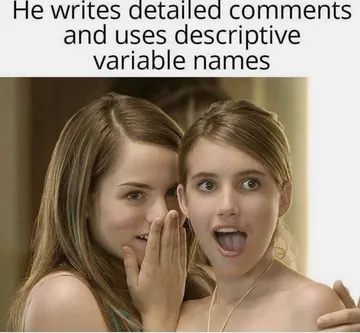
Perfect for the side chat when someone shares news you are not supposed to react to out loud.
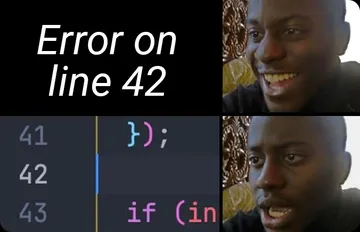
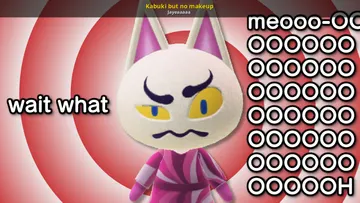
A clean shocked reaction for surprise announcements, sudden meeting invites, or a wild deadline.
Use when a message makes no sense or a thread derails into confusion.
The polite “wait, what?” for a request that arrives with no context.
An enthusiastic yes for confirming a meeting time or approving a plan.
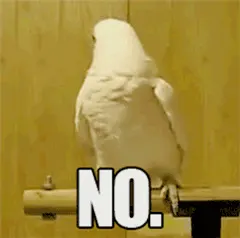
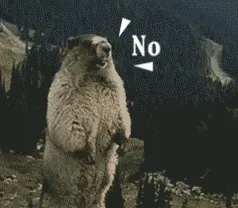
A soft no for declining a meeting without typing a full paragraph.
Big reaction energy for a genuinely surprising update in a group chat.






Where the GIFs live inside Teams
In a Teams chat, look under the compose box for the Emoji, GIFs and stickers button. It opens a panel with a search field, so you can type a mood or a keyword instead of scrolling.
On Windows, Win + . opens the system emoji and GIF panel in any text field, including Teams. Many people use this shortcut when the in-app picker is slow or hidden.
On mobile, the same emoji and GIF options sit next to the message box in the Teams app for Android and iOS.
When Teams GIFs are missing or limited
If the GIF button is gone or the picker returns nothing, check with your IT admin first: some organizations restrict GIFs and stickers through messaging policies, and that setting overrides anything you do in the app.
If GIFs work but the selection feels stale, download a meme from memecub.com and send it as an image. Browsing, searching, copying and downloading on the site are free and need no sign-up.
Most memes on memecub are collected from the web, so they are fine for personal chats and casual team banter; copyright stays with the original creators, so do not use them in commercial material. If you need something you can reuse commercially, turn on the filter that shows only openly licensed images.
Matching the GIF to the moment
Reaction GIFs work best when they answer the message above them: a flat “NO” for a bad idea, “Wait what?” for a confusing thread, “LOL” for a joke that landed.
Keep it short. One GIF per message reads as a reaction; three in a row reads as spam, especially in channels with many people.
For a recurring inside joke, the AI meme maker at memecub.com/generate lets you describe a character, an action and a caption, or start from an existing meme as a reference. It takes about 10 seconds per image and refuses real people, so stick to cartoon or animal characters.
Alternatives worth knowing
GIPHY has a dedicated Microsoft Teams collection and is the source behind many in-app results, so searching there can help you find a specific GIF by name.
If you write or post a lot, memecub's AI meme placement takes an article and picks a fitting meme for each paragraph, which is handy for turning a long update into something people actually read.
Developers can pull memes into their own tools through the memecub REST API, the MCP server at memecub.com/mcp, or the CLI with npx memecub.
Nothing quite right? Make one
Pick a character, type a caption, get it in about 10 seconds.
More that fit




FAQ
How do I enable GIFs in Microsoft Teams?
GIFs are on by default for most accounts. If the button is missing, an admin has likely restricted GIFs and stickers in messaging policies, so ask them to check your org's settings.
How do I add more GIFs to Microsoft Teams?
The in-app picker pulls from a fixed provider, so you cannot add new sources to it. To send something specific, download a meme from memecub.com and paste or attach it in the chat.
Why can't I see GIFs in Teams anymore?
A Teams update or a policy change can hide the GIF picker. Try Win + . on Windows as a workaround, and check with your admin if the button stays gone.
Is Teams getting rid of GIFs?
There is no sign that GIFs are being removed. Reports of missing GIFs usually trace back to app updates, tenant policies, or the picker failing to load.
Can I use memecub memes in work chats?
Yes for personal and casual team chats. Most memes are collected from the web and remain the property of their creators, so use the openly licensed filter if the image needs to be reused commercially.