How do I save a GIF from a website or social media?
On a website, right-click the GIF (or long-press on mobile) and choose Save image or Download; on X, tap the GIF, open the post menu and pick Save photo. On iPhone, long-press a GIF in Messages and tap Save, and on WhatsApp tap the GIF then the download arrow. If the app blocks saving, open the GIF in a browser or use a GIF downloader link instead.
Send it when you saved the GIF but can no longer find it in your bookmarks or downloads.
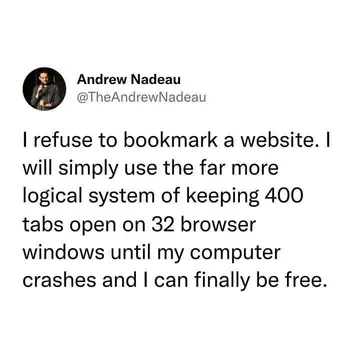
For the friend who refuses to save anything and just keeps the tab open forever.
A cheerful “saved!” reaction for the group chat after someone finally rescues the GIF.
Use it when the save button is missing and you are crawling through menus looking for the file.
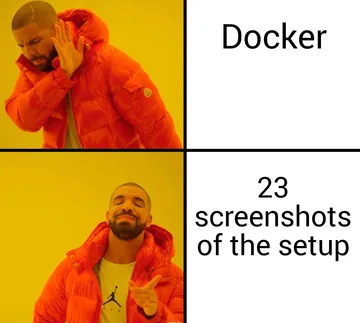
For threads where people screenshot a GIF instead of saving the actual file.
A dry reply when someone asks why the GIF they saved is a still image.




Save a GIF on iPhone, iPad and Android
iPhone and iPad: in Messages, long-press the GIF and tap Save; it lands in Photos. In Safari, long-press the image and choose Save to Photos or Add to Photos. On Android, long-press the GIF in Chrome and pick Download image, and in most messaging apps tap the GIF to open it, then use the download arrow.
If the long-press menu only offers Copy, the app is showing the GIF as a preview. Open the post in a browser, long-press there, and save from the browser instead.
Save a GIF from X, Instagram, WhatsApp and Google
X: tap the GIF to open it, tap the three-dot menu on the post and choose Save photo (on mobile) or right-click and Save image as on desktop.
Instagram: there is no save button for GIFs in posts or Stories. Use the share menu to copy the link, open it in a browser, and save the media from there, or take a screen recording if the GIF is inside a Story.
WhatsApp: open the GIF in a chat, tap the download arrow, and it appears in your gallery. On WhatsApp Web, right-click the GIF and choose Save image as.
Google Images: click the GIF to open the preview, then right-click and Save image as, or use the original page link under the image. Some results are .webp files that look like GIFs; a browser extension such as Save as GIF converts them.
When saving fails, and where to find GIFs you can keep
Common causes: the site serves the GIF through a player or CDN that blocks right-click, the file is actually a video or .webp, or the app only allows sharing. Try opening the image URL directly, or paste the post link into a GIF downloader that offers the original file or an MP4.
For chat reactions, memecub.com lets you search, copy and download memes without signing up. Most are collected from the web and fine for personal chats, with copyright staying with the original creators; a filter shows openly licensed images if you need commercial use. If nothing fits, the AI meme maker at /generate builds one from a character, action and caption in about 10 seconds.
Nothing quite right? Make one
Pick a character, type a caption, get it in about 10 seconds.
More that fit








FAQ
How do I save a GIF on my phone?
Long-press the GIF and choose Save image or Download. In Messages on iPhone, long-press the GIF and tap Save; on Android, long-press in the browser and pick Download image.
How do I save a GIF into Files?
On iPhone, save the GIF to Photos first, then open it, tap Share and choose Save to Files. On desktop, right-click and Save image as, then pick a folder.
Why can't I save a GIF?
The app may only allow sharing, or the file may really be a video or .webp. Open the GIF in a browser or use a downloader link to get the original file.
Can I save a GIF from Instagram?
Instagram has no direct save button for GIFs. Copy the post link, open it in a browser and save the media there, or screen-record a Story.
Can I use saved GIFs commercially?
Usually not. Most GIFs belong to their original creators; check the license or use openly licensed images if the GIF is for commercial work.