How do I save a GIF to my files or computer?
On a computer, right-click the GIF and choose Save image as (or use the site's download button) and pick your Downloads folder or desktop. On iPhone or iPad, long-press the GIF and tap Save, or use the share sheet and choose Save Image; on Android, long-press and pick Download image. If the GIF is inside a chat app, open it full screen first, then save from there.
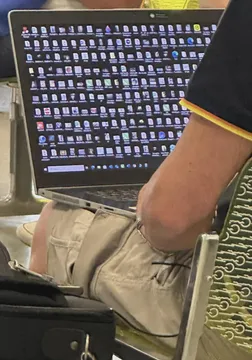
Send it when your Downloads folder is a graveyard of unnamed GIFs and you cannot find the one you just saved.
The right reaction when you finally right-click, hit Save image as and the file lands exactly where you wanted.
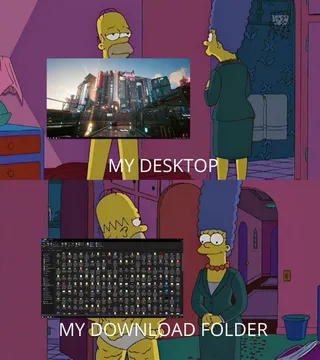
For the moment your desktop is buried under saved GIFs and you still have not opened a single folder.
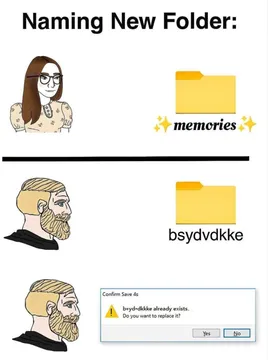
Use it when you are deciding how to name the folder you will dump all your saved GIFs into.
Send it when someone asks what that mysterious .gif file in your folder actually is.
A quieter version of the same suspicion, for when a friend sends you a GIF file with a strange name.



Save a GIF on a computer
Open the page that shows the GIF, then right-click it (or Ctrl-click on a Mac) and choose Save image as. Pick Downloads or your desktop and confirm.
If the site has its own download button, use that instead: it usually gives you the original .gif rather than a converted copy. On memecub, open any meme and use the download option on the page.
If the file saves as .webp or .png instead of .gif, the page was serving a converted version. Try the site's download button, or a browser extension that saves the original GIF.
Save a GIF on iPhone, iPad or Android
iPhone and iPad: long-press the GIF until a menu appears, then tap Save Image (or Add to Photos). In Messages, open the message with the GIF, long-press it and tap Save.
Android: long-press the GIF and choose Download image. It lands in your Downloads folder or gallery depending on the app.
In chat apps like WhatsApp, open the GIF full screen first, then use the save or download option. Saving straight from the chat list often only saves a thumbnail.
When saving does not work
No save option appears: the image may be behind a login, or the app only allows sharing. Take a screenshot of the frame you want, or open the GIF in a browser and save from there.
The file will not animate: check the extension. A .png or .jpg is a still frame; you need the .gif file itself.
The GIF is from a social app: use the app's own save or share-to-files option, since long-press menus in feeds often only offer Share.
If you cannot find the GIF you want anywhere, memecub's AI meme maker can create one from a description in about 10 seconds, and you can download the result to your files.
Keep your saved GIFs findable
Make one folder called GIFs and save everything there, so you are not hunting through Downloads later.
Rename files as you save them: a short description plus the source is easier to search than a random string of letters.
Remember that most memes collected from the web are for personal chats only; copyright stays with the original creators. If you need something for commercial use, use a filter for openly licensed images.
Nothing quite right? Make one
Pick a character, type a caption, get it in about 10 seconds.
More that fit



FAQ
How do I save a GIF into Files on iPhone?
Long-press the GIF, tap Save Image, then open the Files app and find it under Photos or Recents. You can also use Share and choose Save to Files to put it in a specific folder.
How do I save a GIF on my phone from WhatsApp?
Open the GIF so it fills the screen, then tap the download or save icon. Saving from the chat list usually grabs only a preview.
How do I download a GIF to my desktop?
Right-click the GIF and choose Save image as, then select Desktop as the location. On a Mac, Ctrl-click works the same way.
Why can't I save a GIF?
The page may block right-click saving, the app may only offer sharing, or the file may be a converted still image. Try the site's download button, open the GIF in a browser, or take a screenshot as a fallback.
Can I save a GIF from Google Images?
Yes. Open the GIF in Google Images, right-click it and choose Save image as. If you only get a still image, click through to the original page and save it there.