How can I save a GIF from a meme library?
On a meme library like memecub, open the meme you want and use the download button to save the GIF file to your device; on phones, long-press the image and choose Save Image or Add to Photos. In chat apps like WhatsApp or Messages, tap and hold the GIF in the conversation and pick Save. If no save option appears, the site or app is blocking downloads, so open the meme in a browser instead.
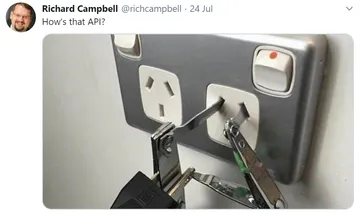
Send when someone promises a one-click download that turns out to be anything but.
The face you make when the save button is greyed out and the GIF is right there.
For the moment a friend asks why you never trust a save dialog on a meme site.
Use it after you finally save the GIF and realize you have no idea where it went.
A reminder to save your files before closing the tab you found the meme in.
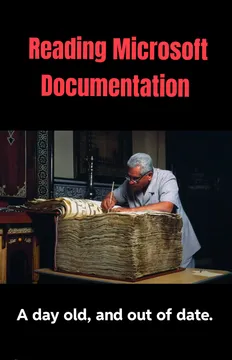
Send when the download instructions are longer than the meme itself.
For when you save a meme from a sketchy site and your antivirus has opinions.

Save a GIF on desktop
Open the meme on the library page and click the download button; the file lands in your Downloads folder as a GIF.
If there is no button, right-click the image and choose Save image as, then keep the .gif extension in the filename.
Some sites serve .webp instead of .gif. Renaming the file will not convert it, so use the site's own download option when it exists.
Save a GIF on iPhone, iPad and Android
On iPhone or iPad, long-press the GIF and tap Save Image or Add to Photos. In Messages, open the conversation, long-press the GIF and tap Save.
On Android, long-press the image and choose Download image, or use the share sheet and pick Files or Photos.
In WhatsApp, tap and hold the GIF in the chat and choose Save; it goes to your gallery or Files app depending on the platform.
When the save option is missing
Apps like Instagram and X often hide downloads. Copy the post link and open it in a browser, where long-press or right-click usually works.
If a site blocks right-click, try the share menu first, or open the image in a new tab and save from there.
Check the file type after saving. A still image means you grabbed a preview frame, not the animated GIF.
Check before you reuse
Most memes in public libraries are collected from the web: fine for personal chats, but copyright stays with the original creator, so do not use them commercially.
If you need something you can use at work, turn on the openly licensed filter, which shows images from Openverse, open-source emoji and public-domain art.
If nothing fits, the AI meme maker at memecub.com/generate lets you describe a character, action and caption and get a new image in about 10 seconds.
Nothing quite right? Make one
Pick a character, type a caption, get it in about 10 seconds.
More that fit

FAQ
How do I save a GIF on my phone?
Long-press the GIF and choose Save Image, Download image or Add to Photos. In chat apps, tap and hold the GIF inside the conversation and pick Save.
How do I save a GIF into Files?
On iPhone, long-press the GIF, tap Share, then Save to Files. On Android, use the share sheet and choose Files, or download the image and move it from Downloads.
Why can't I save a GIF?
The app or website is probably blocking downloads, which is common on Instagram and X. Open the post in a browser and try long-press or right-click there.
Can I save a GIF from WhatsApp?
Yes. Tap and hold the GIF in the chat and choose Save. It is stored in your gallery or Files app, not inside WhatsApp.
Can I use a saved meme commercially?
Usually not. Most library memes belong to their original creators and are meant for personal chats. Use the openly licensed filter if you need commercial use.