How do I save a GIF on my phone?
On iPhone or iPad, long-press the GIF in Messages or Safari and tap Save (or Save to Photos). On Android, long-press the GIF in your chat app or browser and choose Download image, or use the download button on the site. In WhatsApp, GIFs sent as stickers or animations often can't be saved directly, so open the source link or download the file in your browser first.
Send when your phone storage is full and the GIF won't save.
For the moment your camera roll is buried under screenshots and saved GIFs.
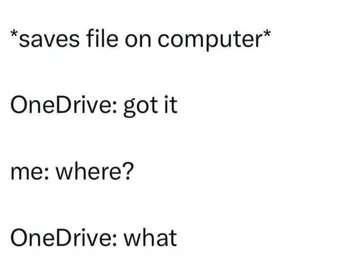
When you saved the GIF but can't find it in any folder.
The look after you finally figure out the long-press trick.
A quick reaction when someone explains where the download button is.
For a friend who saved your GIF and sent it back at the right moment.





Save a GIF on iPhone or iPad
In Messages, open the conversation with the GIF, press and hold the image, then tap Save. It lands in Photos.
In Safari or Chrome, press and hold the GIF until the menu appears and choose Save to Photos or Add to Photos. If the menu only offers Copy, the image may be a Live Photo or video preview, so open the direct image link first.
From the Files app, tap and hold the downloaded .gif file and choose Move or Share to put it in Photos or another folder.
Save a GIF on Android
In a chat app, long-press the GIF and pick Download or Save image. The file usually goes to Pictures or Downloads.
In Chrome, long-press the image and choose Download image. If the page blocks it, open the image in a new tab and download from there.
Check Downloads or your gallery app's GIF or animated folder. Some gallery apps hide GIFs under a filter.
When the app won't let you save
WhatsApp: GIFs sent through the GIF keyboard are often not savable. Ask the sender for the original file, or find the same GIF on a site and download it in your browser.
Instagram and X: long-press usually only offers Copy or Share. Open the post in a browser, long-press the image, and save it there.
If nothing works, take a screen recording and trim it, or search memecub for the same meme and download it directly from the site.
Saving from memecub
Open the meme on memecub.com, tap the download button, and the GIF or image saves to your phone's Downloads folder.
On iPhone, the download may open in Files first; move it to Photos from there. On Android it usually appears in your gallery right away.
Memes collected from the web are fine for personal chats; copyright stays with the original creators, so don't use them commercially. Use the open-license filter if you need something you can reuse.
Nothing quite right? Make one
Pick a character, type a caption, get it in about 10 seconds.
More that fit





FAQ
How do I save a GIF on my iPhone?
Press and hold the GIF in Messages or Safari and tap Save or Save to Photos. The GIF then appears in your Photos app.
How do I save a GIF on Android?
Long-press the GIF in the chat or browser and choose Download image. Look in Downloads or your gallery's GIF folder.
How do I save a GIF on WhatsApp?
GIFs sent through WhatsApp's GIF keyboard usually can't be saved directly. Ask the sender for the file or download the same GIF from a website in your browser.
Why can't I save a GIF?
Many apps only allow Copy or Share for animated images, and some GIFs are actually short videos. Open the image in a browser or find the original file and download it there.
How do I save a GIF into Files?
Download the GIF in your browser, then open the Files app (iPhone) or Downloads (Android). On iPhone, tap and hold the file to move or share it to Photos.