How do I make a meme from a template?
Pick a blank template that matches the joke's structure, add your caption in the empty space, and export the image. On a phone you can do it in any photo editor or meme app; on desktop, an online meme maker works. If you want a blank starting point, memecub has blank templates you can download and caption yourself, or you can describe the scene to the AI meme maker when no template fits.
A clean blank frame with just a thin border — the safest base when you want to add your own text and nothing else.
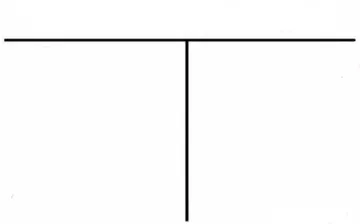
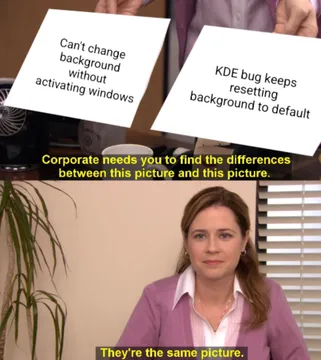
The two-line “who would win” layout: put the contender on top and the punchline below the line.
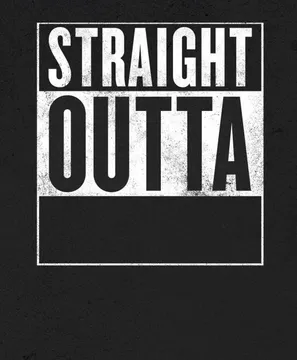
Straight Outta X format — swap the city or group name for your own and drop the caption underneath.
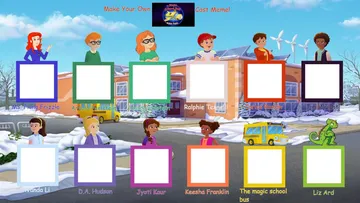
Cast meme layout with twelve slots: label each character with a person, team or tool for a group joke.
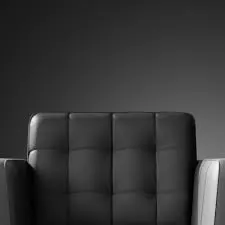
“You are a bold one” blank — good for calling out a risky or overconfident move in a chat.
Absolute Cinema blank — caption it with the moment you found genuinely great, from a film to a bug fix.
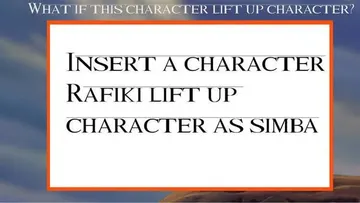
Savanna background with an empty white box — fill the box with the thing that is about to go wrong.
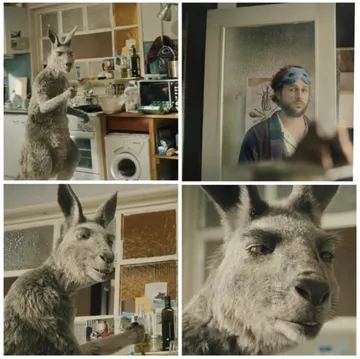
Four-panel “after that it gets difficult” layout — use it to show a plan that starts easy and escalates.

The basic steps
1. Choose a template whose layout already tells the joke: two panels for a comparison, a top and bottom line for a setup and punchline, a grid for a cast.
2. Save the blank template to your device. On memecub, open the meme page and download the image; no sign-up is needed.
3. Open it in any editor that lets you add text — Photos on iPhone, Google Photos or a meme app on Android, or an online meme maker in a browser.
4. Add your caption in the empty area, keep it short, and use a bold font with a white fill and black outline so it reads on any background.
5. Export as PNG or JPG and send it. If the platform compresses images, send it as a file or photo rather than a screenshot of the editor.
Finding a blank template
Search for the format name plus “blank template” — for example “cast meme blank template” or “who would win blank template”. memecub's search returns blank versions alongside captioned ones, so you can start from an empty frame.
If you only find a captioned version, you can still use it as a reference: cover the old text with a solid shape in your editor, or crop to the empty panel, then add your own caption.
Check the source before you post publicly. Most memes on memecub are collected from the web: fine for personal chats, but copyright stays with the original creator and they are not for commercial use. If you need something for a brand or ad, use the filter that shows only openly licensed images.
Phone vs desktop
On iPhone, save the template to Photos, tap Edit, then the markup icon, and add text with the plus button. It is enough for a quick caption and needs no extra app.
On Android, Google Photos has a similar markup tool, and most meme apps follow the same pattern: pick an image, add top and bottom text, save.
On desktop, an online meme maker gives you draggable text boxes and a font list, which is faster when the caption is long or you need several versions.
If you are making many memes for an article or post, memecub's AI meme placement takes a pasted article and picks a fitting meme for each paragraph, so you are not matching them by hand.
When a template is not enough
Some jokes do not fit an existing format. In that case, describe the character, the action and the caption to the AI meme maker at memecub.com/generate and it produces an image in about ten seconds. It refuses real people, so keep the subject fictional or generic.
You can also upload any meme as a reference to keep the style while changing the scene.
For a one-off joke in a group chat, a plain template plus a short caption usually lands better than a complicated custom image.
Nothing quite right? Make one
Pick a character, type a caption, get it in about 10 seconds.
More that fit
FAQ
How do I create my own meme from scratch?
Start with a blank template or a photo you own, add a short caption in an editor, and export the image. If you have no image in mind, describe the scene to an AI meme maker instead of searching for a template.
Can ChatGPT create memes?
ChatGPT can write captions and suggest formats, but it does not reliably output a finished meme image with text placed correctly. Use it for the wording, then place the text on a template in an editor or with a dedicated AI meme maker.
What is the best app to create memes?
For a quick caption, the built-in markup tools in Photos on iPhone or Google Photos on Android are enough. For more control over fonts and layers, an online meme maker in a browser works on both phone and desktop.
How do I make a meme on my iPhone?
Save the template to Photos, tap Edit, open markup, add a text box, and drag it into the empty area. Save the copy and share it directly from Photos.
Are meme templates free to use?
Templates collected from the web are fine for personal chats, but the copyright stays with the original creator and they are not for commercial use. For commercial work, filter for openly licensed images such as Openverse, open-source emoji or public-domain art.