What is the DeepSeek meme template?
The DeepSeek meme template is not one fixed image. Most often it refers to the DeepSeek whale logo (or its anime version, Whale-chan) placed in a meme to joke about AI models, reasoning, or censorship. Another common template is a screenshot of DeepSeek answering a question about Taiwan, used to mock how AI assistants handle sensitive topics. You can find ready-made versions in meme libraries or generate your own with an AI meme maker.
The classic DeepSeek whale logo meme, perfect for any AI comparison or “DeepSeek says” joke.
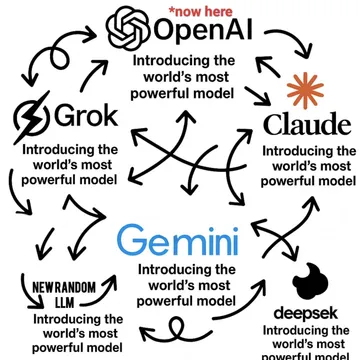
Use when joking about how many AI models, including DeepSeek, keep appearing and competing.
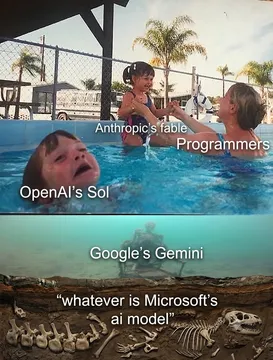
Fits when you want to show DeepSeek or another AI being prioritized over programmers or other models.
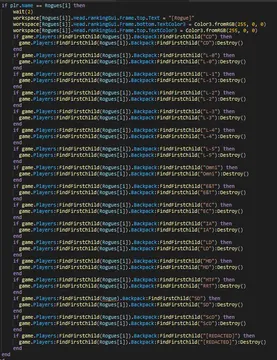
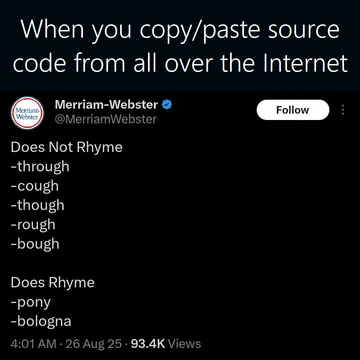
For moments when DeepSeek or any AI generates repetitive, copy-pasted code.
When an AI assistant like DeepSeek gives a confusing or betrayed-looking answer after you copy-paste something.
Use for “based on true events” jokes about AI responses, including DeepSeek’s Taiwan answer.


What the DeepSeek meme template actually is
There is no single official DeepSeek meme template. In practice, people use two things: the DeepSeek whale logo (often drawn as a cute anime character called Whale-chan) and screenshots of DeepSeek’s chat replies. The whale logo is the most common base because it is simple to edit and instantly recognizable.
The “Taiwan is a country” meme is a specific example: a screenshot or clip where DeepSeek appears to answer a question about Taiwan, used to joke about AI censorship or model behavior. It is not a template you fill in, but a format you can recreate with your own text.
When to use which version
Use the whale logo template for general AI jokes: comparing models, praising DeepSeek’s reasoning, or mocking hype. It works in both Chinese and English meme communities.
Use the Taiwan screenshot format only for jokes about censorship or sensitive questions. Be aware that it can be politically charged; keep it light if you are in a mixed group.
For developer humor, combine DeepSeek with coding memes like copy-paste or model carousel templates.
How to make your own DeepSeek meme
Start with a base image: search memecub.com for “DeepSeek” or “whale” to find the logo or related memes. You can copy or download for free without signing up.
Add your caption using any image editor, or use an AI meme maker. On memecub.com/generate, describe the character (e.g., “the DeepSeek whale”), the action, and the caption; it takes about 10 seconds per image and refuses real people.
If you want to place memes into an article or chat, the AI meme placement tool at /match can pick a fitting meme for each paragraph.
Nothing quite right? Make one
Pick a character, type a caption, get it in about 10 seconds.
More that fit







FAQ
Is Taiwan a country DeepSeek meme?
It is a meme format based on screenshots where DeepSeek appears to answer whether Taiwan is a country. People use it to joke about AI censorship and sensitive topics, not as a factual statement.
What is the most viral DeepSeek meme?
The whale logo (Whale-chan) memes are among the most shared in Chinese AI communities. The Taiwan screenshot meme also spreads widely on social media.
What is a famous Chinese meme?
Famous Chinese memes often feature characters like the panda or the doge, but in AI circles the DeepSeek whale is currently popular. Memecub.com has a Chinese 表情包 library at /zh.
Why can’t DeepSeek say Taiwan is a country?
DeepSeek, like many AI models, follows content policies that avoid taking positions on politically sensitive issues. The meme exaggerates or parodies this behavior.
Where can I find DeepSeek meme templates?
You can search memecub.com for “DeepSeek” or “whale” to find ready-to-use memes. For custom ones, try the AI meme maker at /generate.