Where can I find funny reaction GIFs to use in Slack?
You can pull reaction GIFs from GIPHY and Tenor directly inside Slack's GIF picker, or grab custom animated emoji from Slackmojis. For a reaction emoji rather than an inline GIF, download an image from a meme library like memecub and upload it under Slack's custom emoji settings. If nothing fits the exact moment, memecub's AI meme maker can build one from a short description.
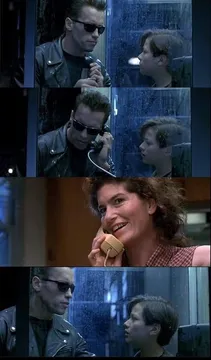
Send it when you are heads-down and want to say “not in the mood to talk” without typing it.
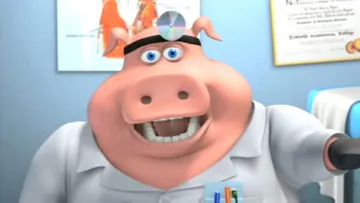
A cheerful “I diagnose you with dead” for when a build, deploy or plan has clearly flatlined.
The peeking eyes through the door slot are perfect for quietly watching a thread go off the rails.
A light “lol” reaction for a joke that lands but does not need a full reply.
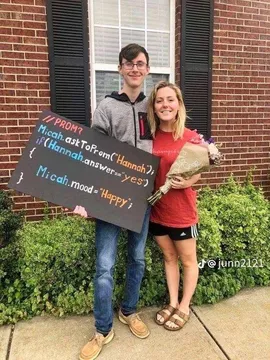
Use it as a status-style reaction when someone asks how you are doing and the answer is “happy, allegedly”.
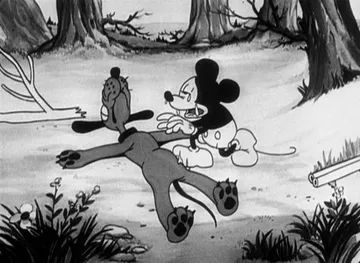
The crawling zombie says “still here, still working” during a long incident or late-night push.
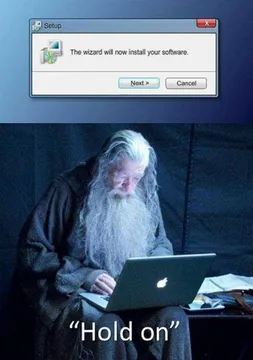
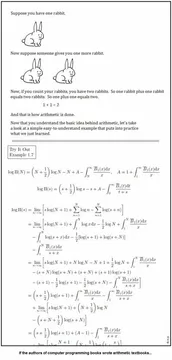
For the moment a tool promises a simple install and you already know how it ends.
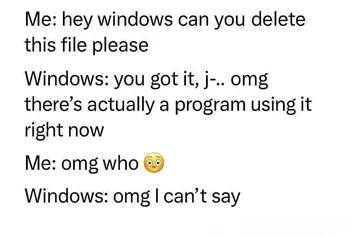
A dry “so accurate” reaction when someone describes a bug or workflow you have lived through.




Two ways to use a reaction GIF in Slack
Inline GIF: open the message field, tap or click the GIF icon (or the smiley menu on mobile), search, and send. Slack pulls results from GIPHY and Tenor, so the fastest route is searching a mood like “facepalm” or “slow clap” right there.
Reaction emoji: Slack reactions only accept emoji, so a GIF has to become a custom emoji first. Download the image, then go to Slack settings, open Customize, and upload it under emoji. Keep the file small and the loop short so it reads at emoji size.
Where to get the images
GIPHY and Tenor are built into Slack's GIF picker and are the default for inline GIFs.
Slackmojis is a well-known source of custom and animated emoji packs made for Slack and also usable in Microsoft Teams.
memecub works well when you want a specific reaction rather than a generic loop: browse or search, copy or download the image, then upload it as a custom emoji. Most images there are collected from the web, so they are fine for personal chats but not for commercial use; a filter shows openly licensed images if you need something you can reuse at work.
Tone and etiquette
Reaction emoji are quiet by design. Use them to acknowledge a message without adding noise to a busy channel.
Keep inline GIFs for casual channels. In announcement or incident threads, a short text reply usually beats a looping image.
Avoid real people in custom emoji, especially coworkers. A cartoon or animal reaction ages better and stays appropriate.
When nothing fits
Describe the character, the action and the caption in memecub's AI meme maker and it returns an image in about ten seconds; you can also start from an existing meme as a reference. It refuses real people, which keeps the result safe to drop into a team chat.
If you write a lot of docs or posts, the AI meme placement tool takes an article and suggests a fitting meme for each paragraph, which saves hunting for reactions one by one.
Nothing quite right? Make one
Pick a character, type a caption, get it in about 10 seconds.
More that fit

FAQ
What are some funny Slack reaction GIFs?
Popular picks are facepalm, slow clap, popcorn, “this is fine” and exaggerated nodding. For something more specific, memecub has reaction images like the peeking eyes through a door slot or the “not in the mood to talk” character.
Where can I get free Slack reaction GIFs?
GIPHY and Tenor are free and built into Slack's GIF search. Slackmojis offers free custom emoji packs, and memecub lets you browse, search, copy and download without signing up.
Can I use a GIF as a Slack reaction?
Not directly. Reactions only accept emoji, so download the GIF and upload it as a custom emoji in your Slack settings, then react with it like any other emoji.
Are Slack reaction GIFs free for commercial use?
Not automatically. Many GIFs and memes are collected from the web and belong to their original creators, so they suit personal chats. If you need commercial use, look for openly licensed images, which memecub marks with a filter.
How do I make a custom Slack emoji from a meme?
Download the image, open Slack's Customize settings, choose emoji, and upload the file. Short loops and simple shapes read best at emoji size.