Why can't I see GIFs in Microsoft Teams anymore?
If GIFs vanished from Microsoft Teams, it's likely because your admin turned off third-party GIFs (like Giphy) or the GIF button moved. Check the compose box for the GIF icon; if it's missing, ask your IT admin to enable external GIFs in the Teams admin center. As a workaround, press Win+. (Windows) or Cmd+Ctrl+Space (Mac) to open the emoji picker, which includes GIFs, or paste a GIF from elsewhere.
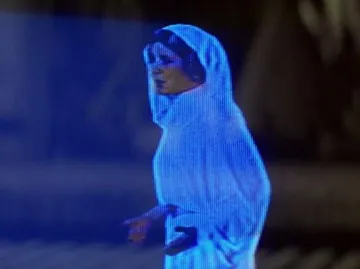
Send when you're staring at the Teams compose box wondering where the GIF button went.
Use when a colleague insists GIFs are still there and you tilt your head in confusion.
Perfect for reacting to yet another Teams update that removed a feature you liked.
Post in chat when you're searching for the missing GIF option and can't find it anywhere.
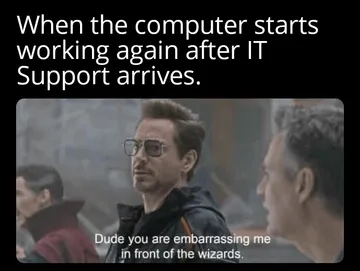
Send to your IT admin when you need GIFs restored and feel like pleading.
Use when someone asks why you're not sending GIFs anymore and you point at the empty GIF menu.
Share when the GIF feature is gone and you're feeling dramatic about it.
Send when you suspect your admin secretly disabled GIFs and you're on the hunt.





Why GIFs Disappeared from Teams
Microsoft Teams relies on third-party providers like Giphy for its GIF library. If your organization's admin disabled external GIFs in the Teams admin center, the GIF button will vanish from the compose box.
Sometimes the GIF option is still there but hidden behind the emoji and sticker menu. Click the emoji icon (smiley face) below the compose box, then look for the GIF tab.
Microsoft has also changed how GIFs work in some updates, so if you're on an older version, updating Teams might bring the button back.
How to Get GIFs Back in Teams
First, check with your IT admin: they can enable GIFs for your organization in the Teams admin center under Messaging policies.
If GIFs are enabled but you still don't see them, try restarting Teams or clearing the cache. On Windows, sign out and sign back in.
As a quick workaround, use the emoji picker: press Win+. (Windows) or Cmd+Ctrl+Space (Mac) to open it, and you'll find GIFs there if your system supports it.
You can also copy a GIF from a website and paste it directly into a Teams chat.
Where to Find GIFs and Memes for Teams
If the built-in GIF library feels limited, memecub.com has a free meme library you can browse, search, copy, and download without signing up. Most memes are collected from the web and are free for personal chats; check the license filter if you need something for commercial use.
For a custom reaction, the AI meme maker at memecub.com/generate lets you describe a character, action, and caption, and it creates an image in about 10 seconds. You can also start from an existing meme as a reference.
Once you have a GIF or meme, save it to your device and drag it into the Teams chat, or use the attach button to upload it.
Nothing quite right? Make one
Pick a character, type a caption, get it in about 10 seconds.
More that fit


FAQ
How do I enable GIFs in Microsoft Teams?
GIFs are controlled by your organization's admin. They need to enable third-party GIFs in the Teams admin center. If you're an admin, go to Messaging policies and turn on the GIF setting.
How do I add more GIFs to Microsoft Teams?
Teams uses Giphy for its GIF library, so you can't add new sources directly. However, you can paste GIFs from other websites or upload your own images.
Is Teams getting rid of GIFs?
No, Microsoft isn't removing GIFs entirely. Some updates may change where the GIF button is located, and admins can disable GIFs for their organization.
Why are GIFs missing from my Teams chat?
The most common reason is that your admin disabled external GIFs. Another possibility is that the GIF button is hidden under the emoji menu, or you're using an outdated version of Teams.