How do I add memes to Claude?
To add a meme to Claude, save or copy the image and attach it to your message with the paperclip or plus button, or paste it straight into the chat box on desktop. Claude reads images, so it can react to, describe, or caption the meme you send. If you want Claude to find memes on its own, connect memecub's remote MCP server at https://memecub.com/mcp or install the skill with npx skills add https://memecub.com in Claude Code.
Send when the build is on fire and you want Claude to acknowledge the chaos with you.
The reaction to send when Claude explains something that suddenly clicks.
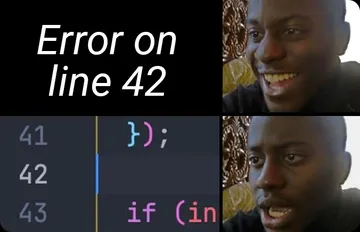
Good for showing Claude a confusing error and asking what went wrong.
Send when a requirement changes right as you finish the task.
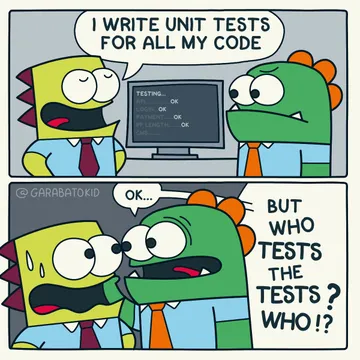
Pairs well with a prompt asking Claude to review or write unit tests.
Use when Claude's answer takes an unexpected turn and you need a reaction image.
A warning-style meme to drop before a long refactor or risky prompt.
A light, friendly image to test whether your upload worked before sending a real meme.






Three ways to get a meme into a Claude chat
Upload: click the paperclip or plus icon in the message box, choose your image file, and send it with a short prompt like “react to this” or “caption this meme.”
Paste: copy an image from a website or your clipboard and paste it directly into the chat box on desktop. This is the fastest route for a meme you just found.
Link: paste the image URL and ask Claude to look at it. This works when the image is publicly reachable and the link points straight to the file.
Let Claude find memes itself with MCP
In Claude Code or another MCP-capable client, add the remote server https://memecub.com/mcp. Claude can then search the meme library and pick images for you.
You can also install the memecub skill with npx skills add https://memecub.com, or use the CLI npx memecub. A keyless trial gives you 20 searches a day.
For your own tools, the REST API charges 1 credit per search call. Browsing, searching, copying and downloading on memecub.com are free and need no sign-up.
GIFs, formats, and tone
Claude handles still images well. Animated GIFs are hit or miss because most chat uploads are read as a single frame, so a screenshot of the key frame is more reliable.
Keep memes small and clear: a PNG or JPG under a few megabytes uploads without trouble.
Most memes in memecub's library are collected from the web and are fine for personal chats; copyright stays with the original creators, so don't use them commercially. Use the openly licensed filter when you need something you can reuse.
If nothing in the library fits, the AI meme maker at /generate builds one from a character, action and caption in about 10 seconds, and it refuses real people.
Nothing quite right? Make one
Pick a character, type a caption, get it in about 10 seconds.
More that fit







FAQ
Can I upload GIFs to Claude?
You can attach a GIF file, but Claude usually reads only one frame, so the joke may be lost. Send a still screenshot of the funniest frame instead.
Can you put images into Claude?
Yes. Use the attach button in the message box or paste an image on desktop, then add a prompt so Claude knows what to do with it.
How do I insert a meme into a Claude chat?
Copy the meme image, click into the chat box, and paste it, or attach the saved file. Add a line like “what does this meme say” to get a useful reply.
How do I install a Claude meme skill?
In Claude Code, run npx skills add https://memecub.com to install the memecub skill, or add the MCP server at https://memecub.com/mcp so Claude can search memes directly.
Is adding memes to Claude free?
Uploading and pasting images into a normal chat costs nothing beyond your Claude plan. On memecub, browsing and downloading are free, and the free plan includes 1000 credits a month for AI features.