How do I add a meme to my blog post?
To add a meme to your blog post, first choose a meme that fits the point you're making, then download it from a meme library like memecub.com and insert it as an image in your post. Place it near the relevant paragraph, add a short caption if needed, and always check the license—most web memes are for personal use only, so for commercial blogs use openly licensed images or make your own with an AI meme maker.
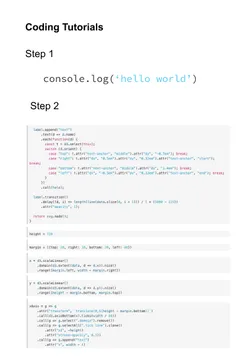
Use when your post walks through a tutorial and you want to poke fun at how tutorials skip steps.
Great for a developer blog post about underestimating a task—caption it with your own project name.
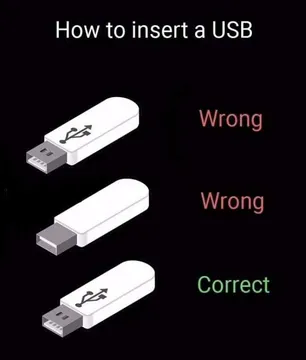
Perfect for a how-to post about hardware or everyday frustrations; it visually explains the USB struggle.
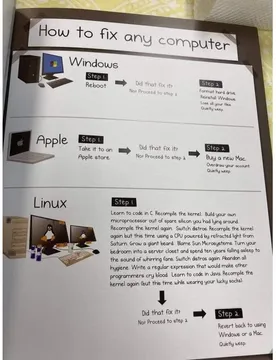
Use in a tech support or troubleshooting article to show the classic fix-it flowchart.
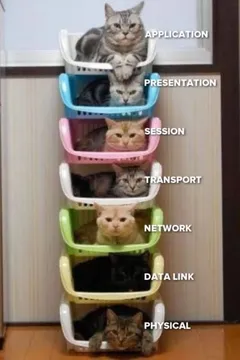
Ideal for a networking or OSI model explainer—the stacked cats make the layers memorable.
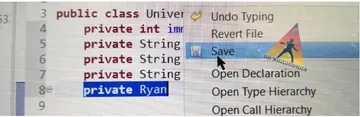
Send this when your post talks about code review surprises or naming mistakes.
Use in a post about junior vs senior developers to illustrate the learning curve.
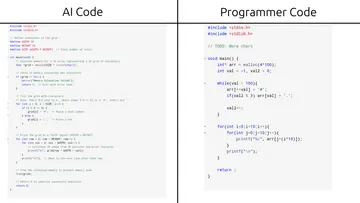
Great for an article about AI-generated code and how to spot it.


Pick a meme that fits the paragraph
The meme should support the sentence it sits next to, not distract from it. If you're writing about a common mistake, choose a meme that shows that mistake in a funny way.
For developer blogs, memes like “Coding Tutorials be like” or “How To Insert USB Cable” work well because they match the topic and are easy to understand.
If you can't find a fitting meme, memecub's AI meme maker lets you describe a character, action and caption to create a custom one in about 10 seconds.
Insert the meme into your post
Download the meme image from memecub.com (no sign-up needed) and upload it to your blog's media library.
Place the image right after the paragraph it relates to, and set the alt text to describe the meme for accessibility.
Keep the meme at a reasonable size—full-width images can overwhelm the text, so consider a smaller width or a centered alignment.
Add a short caption below the meme if the joke needs context, but keep it brief.
Check the license before you publish
Most memes on memecub are collected from the web and are free for personal chats only; copyright stays with the original creators, so they are not for commercial use.
If your blog is commercial (e.g., a company blog or a site with ads), use the filter that shows only openly licensed images (Openverse, open-source emoji, public-domain art) which can be used commercially.
When in doubt, create your own meme with the AI meme maker or use a public-domain image.
Automate meme placement for long articles
For long posts, memecub's AI meme placement tool (/match) lets you paste your article and the AI picks a fitting meme for each paragraph.
This saves time and helps keep the tone consistent across sections.
Nothing quite right? Make one
Pick a character, type a caption, get it in about 10 seconds.
More that fit



FAQ
Is posting memes illegal?
It depends on the meme's copyright and how you use it. Posting a meme for personal, non-commercial use is generally lower risk, but using copyrighted memes commercially without permission can be illegal. Always check the license.
What are some examples of memes?
Common examples include image macros with text like “Coding Tutorials be like” or “How To Insert USB Cable”, reaction images, and GIFs. On memecub you can find many ready-to-use memes for different topics.
What makes a post a meme?
A post becomes a meme when it spreads widely and is remixed by others. It usually has a recognizable format, a relatable joke, and is easy to adapt.
What is the difference between GIFs and memes?
A GIF is a file format for short animations, while a meme is a cultural idea or joke that spreads. Many memes are GIFs, but not all GIFs are memes.