What are some funny LinkedIn memes about corporate life?
LinkedIn memes about corporate life poke fun at meetings, deadlines, bosses, and office culture. Popular picks include Office Space Bill Lumbergh for pointless meetings, Deadline Driven Development for last-minute chaos, and Boss Vibe Coded Once for clueless leadership. You can find these and more in memecub’s library, or use the AI meme maker to create a custom one.
Send when your boss schedules yet another status meeting that could have been an email.
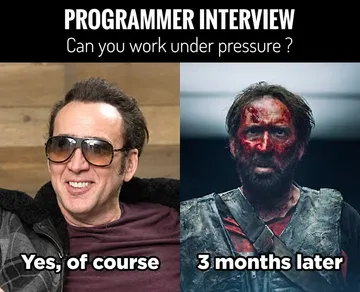
Post when a project deadline is looming and everything is on fire.
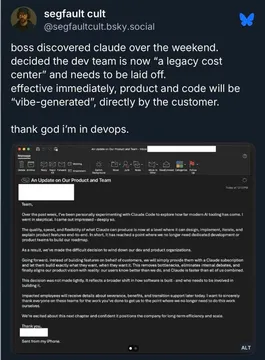
Share when your manager discovers a new tool and suddenly everyone is an expert.
Use for those awkward corporate photos where everyone looks like they’re plotting something.
Perfect for when you’re asked to do more with less and just stare blankly.
Send when a coworker interrupts your focus time with a “quick question.”
Post when you realize your job title is impressive but your daily tasks are not.
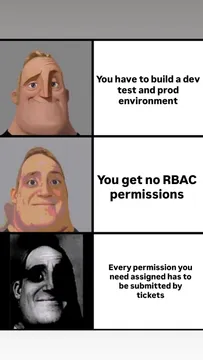
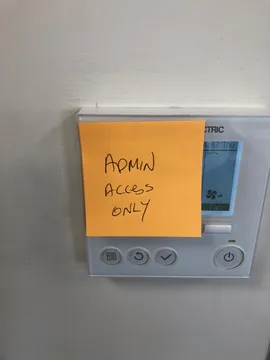
Use when you’re waiting on permissions or approvals that take forever.
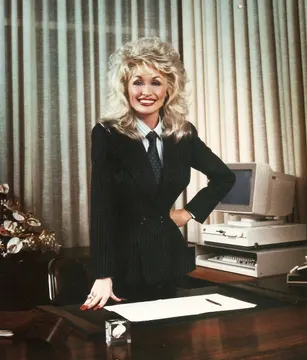
Share for a laugh about dressing up for the corporate world while feeling like a star.





When to use which meme
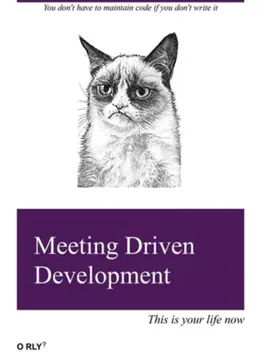
For meetings that drag on, Office Space Bill Lumbergh and Meeting Driven Development are classics. Deadline Driven Development works when a deadline is close and the team is scrambling. Boss Vibe Coded Once fits when leadership makes questionable tech decisions. Corporate Security Be Like is great for IT and security frustrations.
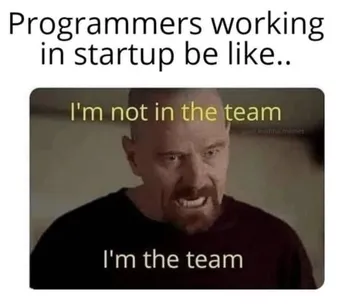
If you want something more visual, Corporate Character Development and Happy Office Worker show the contrast between expectations and reality. My Coworker Is Also Me resonates with startup life, and Coworker Disrupts Flow State is perfect for remote work interruptions.
How to post a meme on LinkedIn
Download the meme from memecub, then upload it as an image in your LinkedIn post. Add a short caption that ties it to your work experience—keep it light and relatable. Avoid tagging colleagues without permission, and remember that memes from the web are for personal use; check licensing if you plan to use them commercially.
For a custom meme, use memecub’s AI meme maker: describe a character, action, and caption, and it generates an image in about 10 seconds. You can also start from any existing meme as a reference.
Tone and etiquette
LinkedIn is a professional network, so keep memes friendly and inclusive. Avoid jokes about layoffs, firings, or sensitive topics. Self-deprecating humor about your own work habits usually lands well. If you’re posting on behalf of a company, make sure it aligns with your brand voice.
Nothing quite right? Make one
Pick a character, type a caption, get it in about 10 seconds.
More that fit




FAQ
Where can I find funny LinkedIn memes about work?
You can browse memecub’s library for corporate memes, or search for “LinkedIn memes” on sites like Reddit and Pinterest. memecub also has an AI meme maker if you want something custom.
Can I use these memes in my LinkedIn posts?
Yes, for personal use. Most memes on memecub are collected from the web and copyright stays with the original creators, so they’re not for commercial use. If you need commercial use, use the filter to show only openly licensed images.
How do I make a custom LinkedIn meme?
Use memecub’s AI meme maker at /generate. Describe the character, action, and caption, and it will create an image in about 10 seconds. You can also start from any existing meme as a reference.
What are some popular corporate meme formats?
Common formats include Office Space characters, the Grim Reaper, Mr. Incredible, and Grumpy Cat. These are often used to joke about meetings, deadlines, and office culture.