How do I call a sticker API in Python?
To call a sticker API in Python, use the requests library to send an HTTP GET request to the API endpoint, passing your query parameters and API key. For example, with memecub's REST API, you can search for stickers by calling https://memecub.com/api/search?q=happy with your key. Handle the JSON response to get sticker URLs, and remember to check for rate limits and errors.
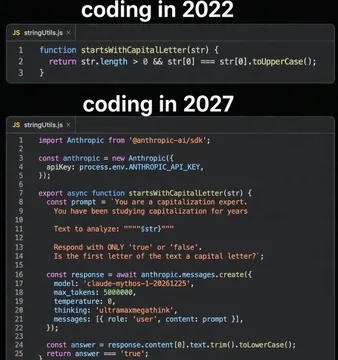
Send when someone asks for a simple API call example and you want to show how concise it can be.
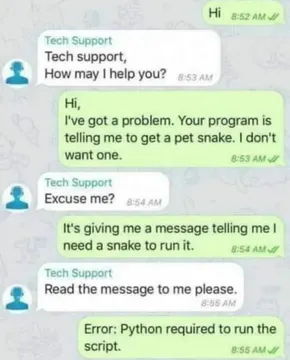
Use when a developer is stuck on a basic Python error and asks for help.
Send when you hit a 429 error from the sticker API and need to explain rate limiting.
Post when CORS issues block your localhost API calls during development.
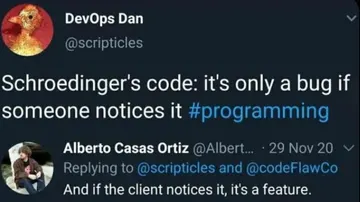
Share when code works in testing but fails in production, like Schroedinger's code.
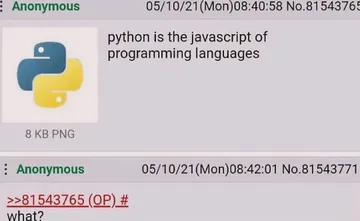
Use when praising Python's simplicity for API integration.
Send when comparing Python and JavaScript for API calls.
Post when the API response doesn't match the documentation.




Basic Python Example with requests
Install the requests library if you haven't: pip install requests.
Use the following code to search for stickers on memecub:
import requests url = 'https://memecub.com/api/search' params = {'q': 'happy', 'limit': 5} headers = {'Authorization': 'Bearer YOUR_API_KEY'} response = requests.get(url, params=params, headers=headers) if response.status_code == 200: data = response.json() for sticker in data['results']: print(sticker['url']) else: print('Error:', response.status_code)
Replace YOUR_API_KEY with your actual key. The response JSON contains sticker URLs and metadata.
Authentication and Rate Limits
Most sticker APIs require an API key. For memecub, include it in the Authorization header as shown above.
Memecub offers a keyless trial of 20 searches per day. For higher limits, sign up for a plan.
If you exceed the rate limit, you'll get a 429 status code. Implement retries with exponential backoff.
Handling Responses and Errors
Always check response.status_code before parsing JSON. Common errors: 401 (invalid key), 404 (not found), 429 (rate limit).
Use response.raise_for_status() to raise exceptions for HTTP errors.
Parse JSON with response.json() and access fields like results or data depending on the API.
Alternatives and Other Sticker APIs
Stipop offers a sticker API with SDKs for various platforms, including Python via REST.
GIPHY provides a GIF/sticker API with Python wrappers.
For Telegram, use the Bot API to send stickers; for WhatsApp, use the Business API.
Memecub's REST API is straightforward for searching memes and stickers, with a free tier.
Let your AI find the memes
REST API, remote MCP, CLI and a skill. Try 20 searches a day without a key.
More that fit




FAQ
How do I use a sticker API with Python?
Use the requests library to make HTTP requests to the API endpoint, passing parameters and authentication headers. Parse the JSON response to get sticker data.
How do I make a request to a sticker API in Python?
Send a GET or POST request using requests.get() or requests.post(), including the API URL, query parameters, and headers with your API key.
How do I integrate a sticker API in a Python script?
Import requests, define a function that calls the API and handles the response, then call that function in your script. Handle errors and rate limits.
Is there a free sticker API?
Memecub offers a keyless trial with 20 searches per day and a free tier with 1000 credits per month. Other APIs like GIPHY have free tiers with limits.
Can I use sticker APIs for commercial projects?
Check the API's terms. Memecub's web-collected memes are for personal use only; for commercial use, use the filter for openly licensed images or the AI meme maker.