How do I search reaction GIFs by keyword with an API?
To search reaction GIFs by keyword with an API, send a GET request to the API's search endpoint with your query as a parameter. For example, with memecub's REST API, you can call https://memecub.com/api/search?q=keyword and include your API key in the header. The response returns a list of matching memes with URLs you can use in your app.
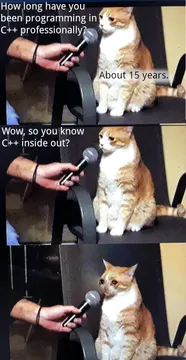
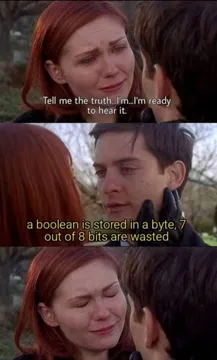
Send when you're searching for the right reaction but can't quite remember it.
Use when a search returns nothing useful and you're staring at the screen in disbelief.
For when your keyword search leads you down a rabbit hole of irrelevant results.
When you're not sure how to spell the keyword you're searching for.
When your search query is so complex it breaks the API.
When your search query recursively calls itself and never returns.
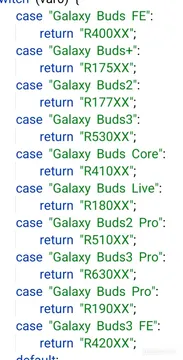
When you need to find and replace a keyword in your search results.
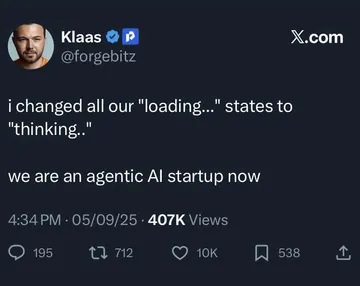
When you think a simple find-and-replace will get you into Y Combinator.



How to query a reaction GIF API by keyword
Most reaction GIF APIs, including memecub's, use a simple GET request with a search term. You pass the keyword as a query parameter, and the API returns a JSON array of matching GIFs or memes.
For memecub, the base URL is https://memecub.com/api/search. Add ?q=your_keyword to search. You need an API key, which you can get by signing up. A keyless trial allows 20 searches per day.
Here's a minimal example in JavaScript using fetch:
javascript
const response = await fetch('https://memecub.com/api/search?q=excited', {
  headers: { 'Authorization': 'Bearer YOUR_API_KEY' }
});
const data = await response.json();
console.log(data.results);
The response includes fields like id, title, description, and URL for each meme. You can use the URL directly in an <img> tag or download it.
Choosing the right keyword for the emotion
Reaction GIFs are often tagged with emotions or situations. Use specific keywords like 'excited', 'facepalm', or 'confused' rather than generic ones like 'happy' to get more relevant results.
If you're unsure, try synonyms. For example, 'thumbs up' might return different results than 'approval'. Many APIs also support categories or tags you can browse.
memecub's library includes memes collected from the web, which are free for personal chats but not for commercial use. A filter shows only openly licensed images that can be used commercially.
Alternatives and other ways to search
Besides REST, memecub offers a remote MCP server at https://memecub.com/mcp, a CLI with npx memecub, and a skill installable with npx skills add https://memecub.com for AI coding assistants. These let you search from the command line or within your AI tool.
If you need a GIF for a specific paragraph in an article, the AI meme placement tool at /match can pick one automatically. For custom reactions, the AI meme maker at /generate creates an image from a description in about 10 seconds.
Let your AI find the memes
REST API, remote MCP, CLI and a skill. Try 20 searches a day without a key.
More that fit



FAQ
How can I find reaction GIFs for a specific emotion using an API?
Use the emotion as your search keyword. For example, query ?q=excited or ?q=frustrated. The API returns GIFs tagged with that emotion.
Do I need an API key to search reaction GIFs?
Most APIs require a key. memecub offers a keyless trial of 20 searches per day, and you can get a key by signing up for a free plan.
Can I use reaction GIFs from an API in my app for free?
It depends on the API and the GIF license. memecub's web-collected memes are free for personal chats but not for commercial use. Use the commercial filter to find openly licensed images.
What's the difference between a reaction GIF API and a meme API?
They often overlap. A reaction GIF API focuses on animated expressions, while a meme API may include static images with text. memecub's API covers both memes and reaction images.