How do I migrate from the Giphy API to a drop-in replacement?
A drop-in migration means keeping your app's search and trending calls but pointing them at a new base URL and response shape. Start by listing every Giphy endpoint you call (search, trending, random, by-id), then map each one to the replacement's equivalent and wrap the response in a small adapter so your UI code does not change. memecub offers a REST API with search at 1 credit per call, a remote MCP server at https://memecub.com/mcp, a CLI via npx memecub, and a keyless trial of 20 searches a day so you can test the swap before committing.
Send it in the team chat when someone assumes the API swap is a one-line change.
The moment the new endpoint returns results and you realize the migration is actually happening.
For the release note or PR comment when the old Giphy calls are finally removed.
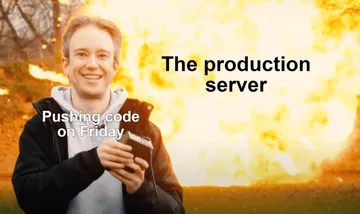
Friday deploy energy: you shipped the migration and are walking away from the explosion.
Post it in the channel where you announce the old API key is being revoked.
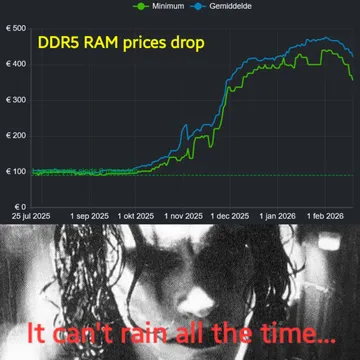
When the new provider's latency or pricing chart finally looks good.
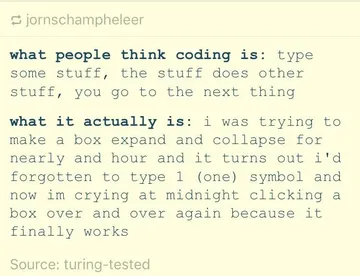
Late-night debugging when the adapter keeps returning an empty array.

How a drop-in swap works
Keep your existing search box and grid components. Only the fetch layer changes: a new base URL, a new auth header, and a mapping from the new JSON into the fields your UI already reads (id, title, preview URL, full URL).
Write one adapter function per endpoint you use. If your app calls search and trending, you need two adapters; everything above them stays untouched. This is what makes the migration reversible if you need to roll back.
Keep the API key on your server or in a proxy route, never in client code. The same rule applies to whichever provider you pick, including memecub.
Example: a search adapter
Below is the shape of a minimal adapter. The endpoint and credit note come from memecub's developer docs; check the current response fields there before you hardcode them.
const MEMECUB = 'https://memecub.com/api';
async function searchMemes(q, limit = 20) {
const res = await fetch(${MEMECUB}/search?q=${encodeURIComponent(q)}&limit=${limit}, {
headers: { Authorization: Bearer ${process.env.MEMECUB_KEY} }
});
const data = await res.json();
return data.results.map(r => ({ id: r.id, title: r.title, preview: r.preview, url: r.url }));
}
Search costs 1 credit per call. The free plan includes 1000 credits a month, Hobby is $3/mo for 10000 credits, Pro $9/mo for 50000, and Scale $29/mo for 250000; credit packs start at $5. A keyless trial gives you 20 searches a day, which is enough to run your test suite against the new endpoint.
Choosing between the alternatives
The Google results point to KLIPY and Tenor as the main Giphy alternatives, with Tenor often described as the free-key option and KLIPY as a newer one that also covers clips, stickers and memes. Gfycat is mentioned in older threads but is not a safe long-term bet.
If your product is memes rather than a general GIF feed, memecub is a narrower fit: a REST API for search, an MCP server at https://memecub.com/mcp for AI agents, a CLI via npx memecub, and a skill you can install with npx skills add https://memecub.com into Claude Code, Codex or Cursor.
Check licensing before you ship. Most memes in memecub's library are collected from the web and are fine for personal chats, with copyright staying with the original creators; a filter shows only openly licensed images (Openverse, open-source emoji, public-domain art) for commercial use. Do not assume any provider's library is cleared for commercial use without reading its terms.
Testing and rollout
Run the keyless trial against your real queries first. Log the top results for your ten most common searches and compare them with what Giphy returned; relevance, not just uptime, is what users notice.
Ship behind a feature flag so you can switch back in one deploy. Watch error rates and empty-result rates for a week before you delete the old code path.
If you also need generated images, memecub's AI meme maker at /generate takes a character, action and caption (or a reference meme) and returns an image in about 10 seconds for 500 credits, and refuses real people. AI meme placement at /match picks a fitting meme for each paragraph of an article.
Let your AI find the memes
REST API, remote MCP, CLI and a skill. Try 20 searches a day without a key.
More that fit





FAQ
What is the easiest way to replace the Giphy API in my app?
Put every Giphy call behind one adapter module, then rewrite only that module against the new provider. Your components keep reading the same fields, and you can roll back by reverting a single file.
Is there a free Giphy API alternative?
Tenor is commonly cited as the free-key option, and memecub offers a keyless trial of 20 searches a day plus a free plan with 1000 credits a month. Check each provider's current terms, since Giphy itself moved away from free access.
How do I test a new GIF API before committing?
Run your ten most common search queries against the new endpoint and compare relevance with your current results. A keyless trial or free tier is enough for this; only move to a paid plan once relevance and latency look right.
Can I use memecub memes in a commercial app?
Most memes are collected from the web and are meant for personal chats, with copyright staying with the original creators. Use the filter that shows only openly licensed images (Openverse, open-source emoji, public-domain art) when you need commercial use.
Does memecub work with AI coding tools?
Yes. There is a remote MCP server at https://memecub.com/mcp, a CLI via npx memecub, and a skill you can install with npx skills add https://memecub.com into Claude Code, Codex, Cursor and similar tools.