How do I make a meme on my phone?
To make a meme on your phone, pick an image or template, add a short caption in a meme font, save it to your camera roll, and send it in the chat. You can do this in a browser-based meme maker, in a photo app with a text tool, or by starting from a ready-made meme in a library like memecub and adding your own line. If nothing fits, describe the character, action and caption to an AI meme maker and it generates the image for you.
Send it when a meme you just made describes the group chat a little too accurately.
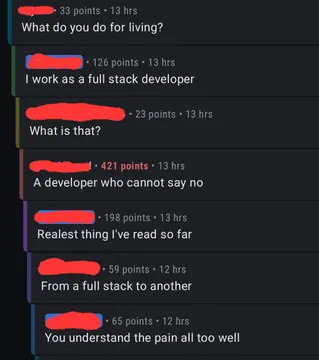
The reply when someone posts a meme so relatable it needs no caption.
Use it when you are mid-meme and the caption is not coming together.
A ready-made reaction for when the meme you made lands too close to home.
Send it after your carefully made meme gets ignored in the chat.
A quick visual reply when you want the chat to go quiet.
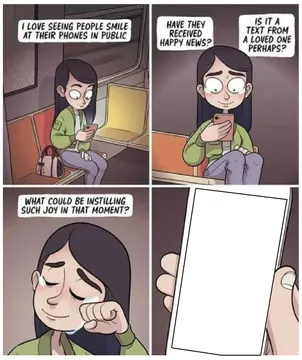
Use it when you are making memes on the subway and someone asks what you are doing.


The quick way: start from an existing meme
Open a meme library in your phone browser, search for the feeling you want, and tap the image you like. Save or copy it to your camera roll.
Open it in your phone's photo editor or any app with a text tool, add your caption in a bold font near the top or bottom, and save a copy. Keep the caption short so it reads on a small screen.
On memecub you can browse, search, copy and download without signing up. Most images are collected from the web, so they are fine for personal chats but the copyright stays with the original creator.
When nothing fits: generate the meme
Describe three things: the character, the action, and the caption. For example: a tired office worker, staring at a phone at 2am, caption “me checking the group chat one more time”.
An AI meme maker turns that into an image in about ten seconds. You can also start from any meme in the library as a reference and change the caption or the scene.
AI makers refuse real people, so describe a type of character rather than a named person. If you need a meme that can be used commercially, turn on the openly licensed filter in the library instead of using web-collected images.
iPhone vs Android: where the text tool lives
On iPhone, open the photo in Photos, tap Edit, then the markup icon, and add text with the “+” button. Save when the caption sits where you want it.
On Android, open the image in Google Photos, tap Edit, then Markup, and use the text tool. Samsung and other gallery apps have a similar draw-and-text option.
Both routes keep the original file untouched if you save as a copy, which is handy when you want to make several versions of the same meme.
Tone and etiquette
Keep captions to a line or two. A meme that needs explaining usually does not get sent.
Match the chat: a work channel and a close friends group take different jokes. Check that the image is not someone's private photo before you forward it.
If you plan to post a meme on a brand account or in an ad, use openly licensed images or an AI-generated one, not a web-collected meme.
Nothing quite right? Make one
Pick a character, type a caption, get it in about 10 seconds.
More that fit
FAQ
How do I create my own meme from scratch?
Take or pick a photo, add a short caption with your phone's text tool, and save a copy. If you want a drawn character instead of a photo, describe the character, action and caption to an AI meme maker.
Can ChatGPT create memes?
Chat assistants can write captions and ideas, but they do not produce the image itself. For the picture, use a dedicated AI meme maker or add the caption to an image yourself.
What is the best app to create memes?
Any app with a text tool works, including your phone's built-in photo editor. Browser-based meme makers and meme libraries are the fastest option because there is nothing to install.
How do I make a meme on my iPhone?
Save the image to Photos, tap Edit, open the markup tool, add your text, and save. You can also copy an image straight from a meme library in Safari and paste it into a chat.
How do I make a meme on Android?
Open the image in Google Photos, tap Edit then Markup, add text, and save a copy. The same steps work in most gallery apps.