What are some cute reaction GIFs for Slack?
You can send cute reaction GIFs in Slack two ways: search GIFs right inside the message box (smiley icon, then GIFs), or upload an image as a custom emoji so it works as a reaction. For the second route, memecub has soft, adorable images like “sweet” (hands holding a wrapped candy), “cute angry girl” and “Sweet Brown” that you can download and upload as Slack emoji.
Send it when a teammate shares good news and you want a soft, warm “aww” reaction.
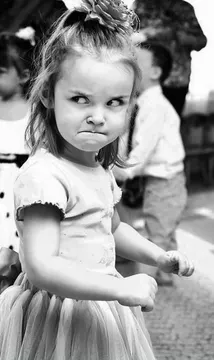
A tiny girl with a top-knot bun glaring — perfect as a mock-angry reaction when someone steals your snack or your idea.
Sweet Brown’s big grin works as a cheerful “good morning” or “we did it” reaction.
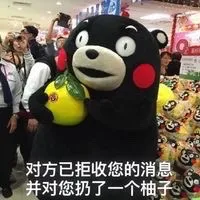
Kumamon hugging a pomelo — a cute way to say “message received” or “sending you a hug”.
Use it when someone posts a pet photo or a lunch pic you genuinely love.
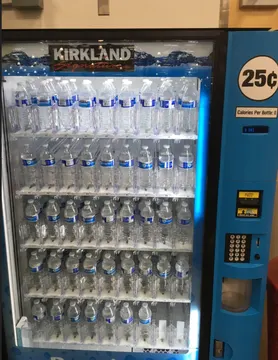
The vending machine full of water is a gentle, funny reaction when the snack run comes up short.
Two suited men by a brick wall — a dry, cute-ish reaction for gentle teasing among close teammates.



Two ways to use a cute GIF in Slack
In the message box, tap the smiley face icon and choose GIFs, then search for what you want and tap to send. This is the fastest route and needs no setup.
For reactions, upload an image as a custom emoji in your workspace settings, then hover a message and pick it from the reaction menu. Animated GIFs work as custom emoji, so a small looping image makes a lively reaction.
Picking a cute GIF that fits the moment
Match the emotion, not just the cuteness. A soft candy or hug image fits congratulations and thank-yous; a mock-angry face fits light teasing; a big grin fits greetings and celebrations.
Keep it small and readable. Reaction emoji are tiny, so a clear face or single object reads better than a busy scene.
Check the tone of the channel. Cute reactions land well in casual and team channels; in a thread with a client or a serious incident, a plain emoji is safer.
Where to get images and how to stay safe on rights
Download the image from memecub, then upload it as a custom emoji or attach it to a message. Browsing, searching, copying and downloading on the site are free and need no sign-up.
Most memes on memecub are collected from the web: fine for personal chats, but copyright stays with the original creators and they are not for commercial use. If you need something you can use commercially, turn on the filter that shows only openly licensed images.
If nothing in the library fits, the AI meme maker at /generate lets you describe a character, action and caption, or start from an existing meme as reference. It refuses real people, so keep it to drawn or generic characters.
Making your own cute Slack emoji
Pick a simple subject: one face, one gesture, one object. Crop tight so it still reads at emoji size.
Keep the file small and the loop short. A two-second loop with a clear expression works better than a long clip.
Name it something your team will type, like :tiny_grin: or :pomelo_hug:, so people actually use it.
Nothing quite right? Make one
Pick a character, type a caption, get it in about 10 seconds.
More that fit

FAQ
Where can I find cute Slack emoji GIFs?
GIF search inside Slack, sites like GIPHY and Tenor, and custom emoji collections such as Slackmojis are the usual places. memecub is another option: download an image and upload it as a custom emoji.
Can I use a GIF as a Slack reaction instead of a message?
Yes. Upload the GIF as a custom emoji in your workspace settings, then pick it from the reaction menu on any message. Animated GIFs keep moving as reactions.
Are cute reaction GIFs free to use?
Most memes on memecub are collected from the web and free for personal chats, with copyright staying with the original creators. For commercial use, use the filter that shows only openly licensed images.
What if I can’t find the cute GIF I want?
Make one. The AI meme maker on memecub takes a description of a character, action and caption, or an existing meme as reference, and returns an image in about ten seconds.
Do I need an account to download a GIF?
No. Browsing, searching, copying and downloading on memecub are free and need no sign-up.