How do I create an AI meme video or GIF?
To create an AI meme video or GIF, start by generating a funny image with an AI meme maker like memecub's /generate (describe a character, action, and caption). Then animate it using a GIF or video tool, or pick an existing animated meme from a library. Finally, add text and export as GIF or video.
Send when you want an animated success reaction to celebrate a win.
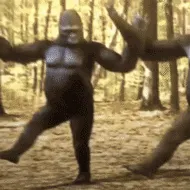
Use this dancing gorilla GIF when words are not enough to express joy.
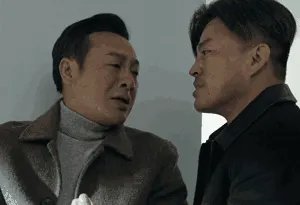
Share this dramatic GIF when you need to show betrayal or heartbreak.
Perfect as an animated sticker for cute or playful replies.
Send this cartoon GIF to lighten the mood in a chat.
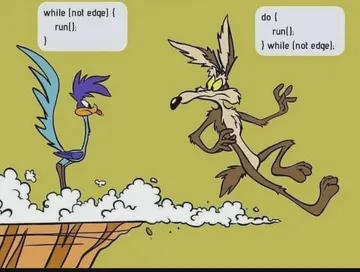
Use this looping GIF to joke about procrastination or last-minute work.
Great for reacting to endless loops or repetitive situations.



Generate the base image with AI
Go to memecub.com/generate and describe your meme: a character, an action, and a caption. For example, “a cat wearing sunglasses, typing on a laptop, caption: I have no idea what I’m doing.”
The AI takes about 10 seconds per image and costs 500 credits. You can also start from any existing meme as a reference.
Note: the AI refuses to generate real people, so stick to fictional or cartoon characters.
Turn the image into a GIF or video
Once you have your image, use a GIF maker or video editor to add motion. Many free tools let you upload an image, add text, and export as GIF or MP4.
Alternatively, browse memecub’s library for animated memes (GIFs) that you can download and share directly. Use the search bar and filter by GIF if available.
For a quick video meme, combine several AI-generated images into a slideshow with captions using a video editor.
Add text and captions
Most meme generators let you overlay text on your image or GIF. Keep captions short and punchy.
If you want AI to place memes in an article or script, try memecub’s /match tool: paste your text and it picks a fitting meme for each paragraph.
Export and share
Export your meme as GIF or video (MP4) depending on where you’ll share it. GIFs work well in chats; videos are better for social media.
Remember: memes from the web are for personal use only. If you need commercial use, use the filter for openly licensed images.
Nothing quite right? Make one
Pick a character, type a caption, get it in about 10 seconds.
More that fit

FAQ
Is there a free AI meme video generator?
Yes, memecub’s AI meme maker is free to try with 1000 credits per month. You can generate images and then animate them with free tools.
Can I make a GIF with AI?
Yes. Generate an image with AI, then use a GIF maker to add motion and text. Or download an existing animated GIF from memecub’s library.
How do I create a meme from text?
Use memecub’s /generate: type a description of the character, action, and caption, and the AI creates an image for you.
Are AI-generated memes free for commercial use?
Memes collected from the web are for personal use only. For commercial use, use the filter for openly licensed images or generate your own with AI, but check the license.
Can I make a meme video without watermark?
memecub does not add watermarks to downloaded memes. AI-generated images are yours to use, but respect the rights of original creators.