How do I make a custom GIF emoji for messaging apps?
To make a custom GIF emoji, pick a short looping clip or reaction GIF, crop it to a square, add text if you like, and save it as a GIF. Then import it into your messaging app's sticker or emoji feature. For a quick start, download a reaction meme from memecub.com, resize it to 100x100 or 200x200 pixels, and add it as a sticker in WhatsApp or iMessage.
Send this grinning sheep when you want to say hi with a big smile.
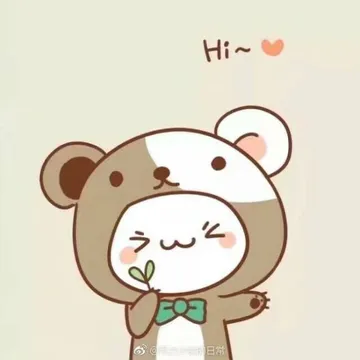
Use this cute animal in a bear hood to react to something adorable.
This smiling corgi with a candy is perfect for a sweet hello.
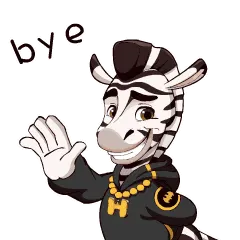
Wave goodbye with this cool zebra in a hoodie.
Send heart eyes when you love what someone said.
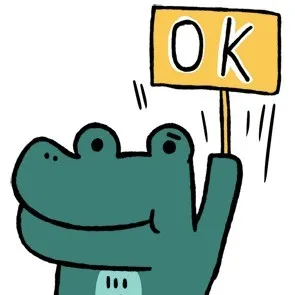
This crocodile holding an OK sign is great for quick agreement.
A bold BYE! bubble to end a chat in style.
A friendly dog waving goodbye for a softer exit.
Two hands making a heart to show love or thanks.





Turn a reaction GIF into a custom emoji
Start with a short GIF (under 5 seconds works best) or download a meme from memecub.com. Crop it to a square so it fits emoji slots.
Use a free online GIF maker to resize it to 100x100 or 200x200 pixels and add text if needed. Keep the file size small for smooth playback.
Save the GIF to your phone, then add it as a sticker in WhatsApp (Stickers > Create) or as a GIF in iMessage (via the Photos app or a sticker pack).
Make a GIF from images or video on your phone
On iPhone, use the Shortcuts app or a free app like GIPHY to turn a burst of photos or a video clip into a GIF.
On Android, Google Photos can create animations from selected photos, or use apps like GIF Maker.
For a quick reaction GIF, search memecub for a matching meme, download it, and send it directly in chats without editing.
Add text and effects to your GIF emoji
Most free GIF makers let you overlay text, stickers, and filters. Keep text short and bold so it reads at small sizes.
Test the GIF in a chat with yourself to check timing and clarity before sharing.
If you need a custom character or caption, memecub's AI meme maker can generate one from a description in about 10 seconds.
Nothing quite right? Make one
Pick a character, type a caption, get it in about 10 seconds.
More that fit





FAQ
How do I make a reaction GIF for free?
Use a free online GIF maker or a phone app to combine images or trim a video. You can also download ready-made reaction memes from memecub.com and send them directly.
How can I create a GIF on my phone?
On iPhone, use the Shortcuts app or GIPHY; on Android, try Google Photos or GIF Maker. Select photos or a video clip and export as GIF.
How do I turn a video into a GIF emoji?
Upload the video to a free GIF maker, trim it to a few seconds, resize to a square, and save. Then import it into your messaging app's sticker feature.
Can I use memecub memes for commercial purposes?
Most memes on memecub are collected from the web and are for personal chats only; copyright stays with the original creators. Use the filter to find openly licensed images if you need commercial use.