What eye roll GIFs can I send to my boss?
Send a light, self-directed eye roll rather than a sarcastic one: a dog rolling its eyes on a couch, a tired SpongeBob, or a cartoonish eye roll reads as “same here” instead of “you're annoying.” Keep sharp human eye rolls and sour-cat memes for coworkers you know well. If nothing in the library fits the exact tone, memecub's AI meme maker can build a custom one from a description.
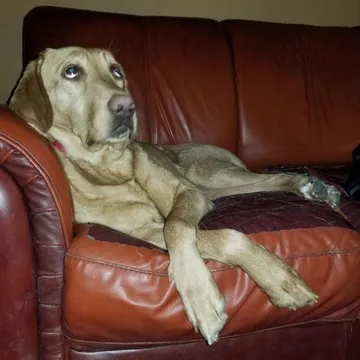
A dog rolling its eyes on a couch — the safest pick for a boss because the joke lands on the dog, not on them.
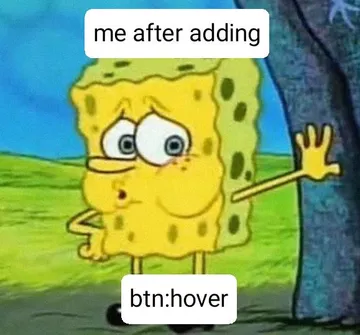
Tired SpongeBob leaning on a tree: send when a deadline or a long meeting has drained everyone, boss included.
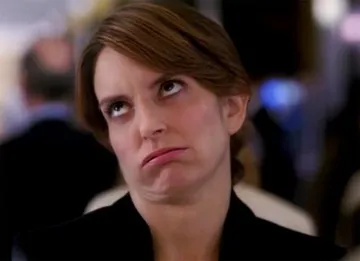
A plain human eye roll — fine for a boss you joke with regularly, risky with a new or formal one.
A softer eye roll with a slight smile; works as a reply to a mildly annoying process update.
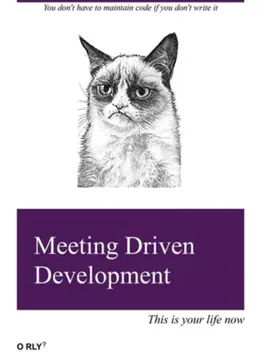
Grumpy Cat's unimpressed stare: a dry reaction to a meeting invite or a policy change, no words needed.
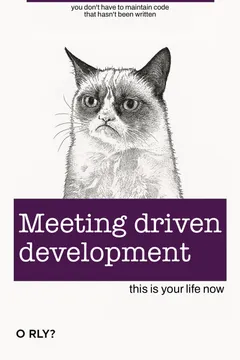
Same sour Grumpy Cat with a caption about meetings — good when the eye roll is about the meeting, not the person.
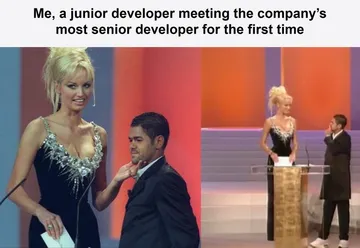
For dev teams: a junior-meets-senior-dev joke that gets a smirk without rolling eyes at anyone in the room.
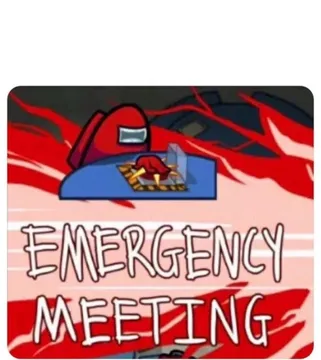
Among Us emergency meeting: use when you want to call out a pointless meeting without an actual eye roll.

Pick the eye roll that points at the situation, not the person
An eye roll sent upward to a boss reads as disrespect; the same GIF sent sideways, about a deadline, a tool outage or a pointless meeting, reads as solidarity. Choose memes where the eye roll comes from an animal, a cartoon or a caption about the work itself.
The dog on the couch and the tired SpongeBob both do this: the annoyance is visible, but nobody in the chat is the target. Human eye rolls and Grumpy Cat work better with peers or a boss you already trade jokes with.
How to send it without it landing wrong
Put the GIF in a thread that is already casual, and add one short line so the tone is clear: “this meeting could have been an email” or “me reading the third revision of the same doc.” A bare eye roll GIF with no text is the version most likely to be misread.
Avoid sending one right after your boss gives you feedback or assigns work — that timing turns a joke into a complaint. Save it for shared frustrations: a system outage, a recurring status meeting, a process nobody likes.
If your workplace is formal or the message is on a recorded channel, skip the GIF and use words. The eye roll emoji is the safer middle ground.
If nothing in the library fits
memecub's AI meme maker lets you describe a character, an action and a caption, or start from an existing meme as a reference, and it refuses real people — so you can make a workplace-safe eye roll about a printer, a spreadsheet or a meeting invite.
You can also paste a longer message or article into the AI meme placement tool and get a fitting meme suggested per paragraph, which helps when you want the joke to match the exact complaint.
Where to find more eye roll options
Search “eye roll” on memecub to see reaction GIFs and memes side by side, then copy or download the one you want — no sign-up needed. Most memes are collected from the web and are fine for personal chats; check the openly licensed filter if the image will be used commercially.
GIPHY and Tenor also host large eye roll reaction collections, and the classic “If you say so” style reaction GIF is a well-known alternative when you want a drier, more sarcastic tone.
Nothing quite right? Make one
Pick a character, type a caption, get it in about 10 seconds.
More that fit
FAQ
What eye roll meme should I send to my boss?
Pick one where the eye roll is aimed at a situation, not at your boss — a dog rolling its eyes, a tired cartoon character, or a Grumpy Cat reaction to a meeting. Add a short caption so the joke is clearly about the work.
Is any eye roll reaction GIF appropriate for work?
Yes, if it is light and self-directed and the chat is already casual. Animal and cartoon eye rolls are the safest; sharp human eye rolls and sarcastic captions are better kept for close coworkers.
How do I eye roll at work with memes without sounding rude?
Send it in a friendly thread, pair it with a one-line joke about a shared annoyance, and never send it right after feedback or a new assignment. When in doubt, use the eye roll emoji instead.
Can I make a custom eye roll meme for a work chat?
Yes. On memecub you can describe a character, action and caption in the AI meme maker, or use an existing meme as a reference; it takes about ten seconds per image and will not generate real people.
Are these eye roll GIFs free to use?
Browsing, copying and downloading on memecub is free and needs no sign-up. Most memes are collected from the web and are meant for personal chats, with copyright staying with the original creators; use the openly licensed filter for anything commercial.